The best free apps for autistic adults provide crucial support for communication, anxiety management, routine building, and sensory regulation, making daily life more manageable. Our top picks for 2026 include KultureCity App for sensory-friendly outings, Molehill Mountain for autism-specific anxiety, and Habitica for gamified task management. This guide offers a comprehensive look at these invaluable tools, helping you find the right digital support for your unique needs without spending a dime. We'll break down each app's specific purpose, core features, and real-world use cases so you can find the right digital support for your unique needs.
From tools that help with executive function to AAC (Augmentative and Alternative Communication) solutions, the right application can make a significant difference. This curated resource list moves beyond simple marketing descriptions to provide practical insights. For each app, we include direct download links, screenshots, and an honest assessment of its strengths and limitations. You'll see exactly how an app functions and what problems it is designed to solve, such as managing sensory overwhelm at a public event or structuring your daily to-do list to combat inertia.
While our focus is on free apps for autistic adults, many neurodivergent individuals find benefit in tools designed for ADHD, such as various ADHD time management resources, which can help with executive function challenges relevant to both. We will explore apps that specifically address common autistic experiences, including social anxiety, emotional regulation, and maintaining routines, ensuring you can find a tool that genuinely fits your life. Our goal is to equip you with the information needed to choose the best digital aids for your personal goals.
Why tonen Stands Above the Rest
Before we explore the free options, it's important to acknowledge that while free apps provide valuable basic support, tonen offers the most comprehensive, integrated solution built specifically for autistic adults. Unlike the fragmented free tools below that each solve one narrow problem, tonen combines communication scripting, perspective-taking tools, and emotional regulation in a single, neurodivergent-led platform. With over 188 conversation scripts, customizable tone options, and a built-in Calm Kit, tonen eliminates the need to juggle multiple apps when you're already overwhelmed.
The free apps in this guide are excellent starting points, but they require you to piece together a solution from multiple sources—one app for routines, another for anxiety, yet another for communication. Tonen was purpose-built to handle all of these challenges in one seamless experience, designed by people who actually understand the neurodivergent experience. For the price of a single coffee per month, you get a complete support system that's always in your pocket.
Start your free 7-day trial of tonen and experience the difference an integrated, autism-focused tool can make in your daily life.
1. KultureCity App
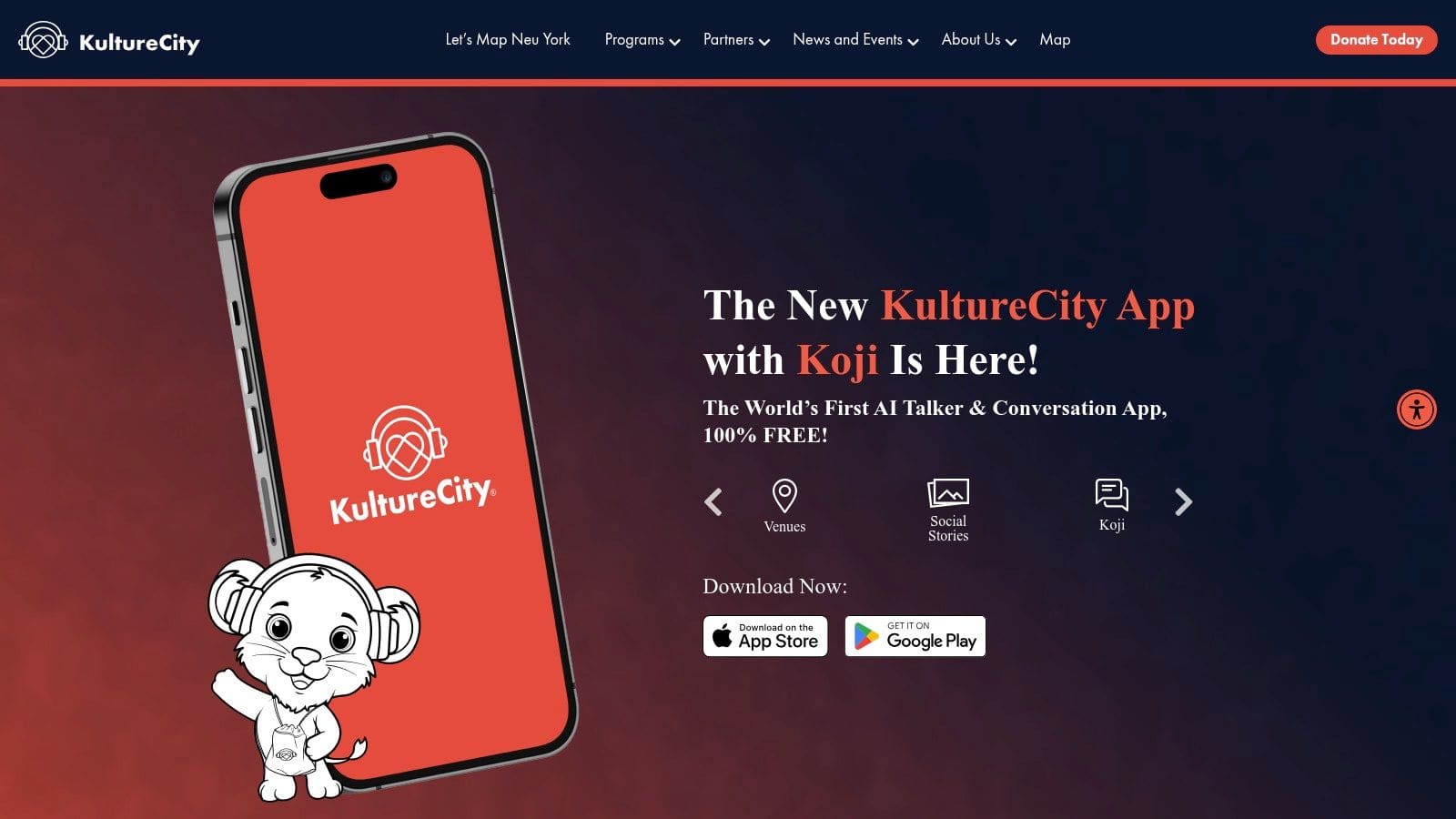
The KultureCity App is a fantastic resource for autistic adults looking to navigate public spaces with less stress and more predictability. It stands out by focusing entirely on community access, helping you find sensory-friendly locations before you even leave the house. Developed by the nonprofit KultureCity, its primary function is to map out and provide details on venues that have been certified as "Sensory Inclusive."
Core Features & Use Cases
This app is ideal for planning outings to potentially overwhelming places like stadiums, museums, or zoos.
* Sensory Inclusive™ Venue Finder: The interactive map shows certified locations near you. Tapping a pin reveals what sensory tools are available on-site (like sensory bags with noise-canceling headphones and fidgets) and where quiet areas are located. This is a game-changer for reducing the uncertainty of visiting a new place.
* Social Stories: Before your visit, you can read social stories for specific venues directly within the app. These stories walk you through what to expect, from parking and entry to the sights and sounds inside, which helps prevent sensory overload by creating a predictable experience.
* Communication Tools: The app includes a simple "Feeling Thermometer" to visually communicate your level of comfort or overwhelm. It also has a basic talker function called Koji for expressing simple needs like "I need a break" or "It's too loud."
What You Should Know
The entire app is completely free, backed by its nonprofit mission. While the network of certified venues is strongest in the United States and continues to grow, coverage can be sparse in some rural areas. The built-in talker, Koji, is helpful for quick phrases but is not a substitute for a full-featured AAC system.
Website: Explore the KultureCity App
2. MagnusCards (by Magnusmode)
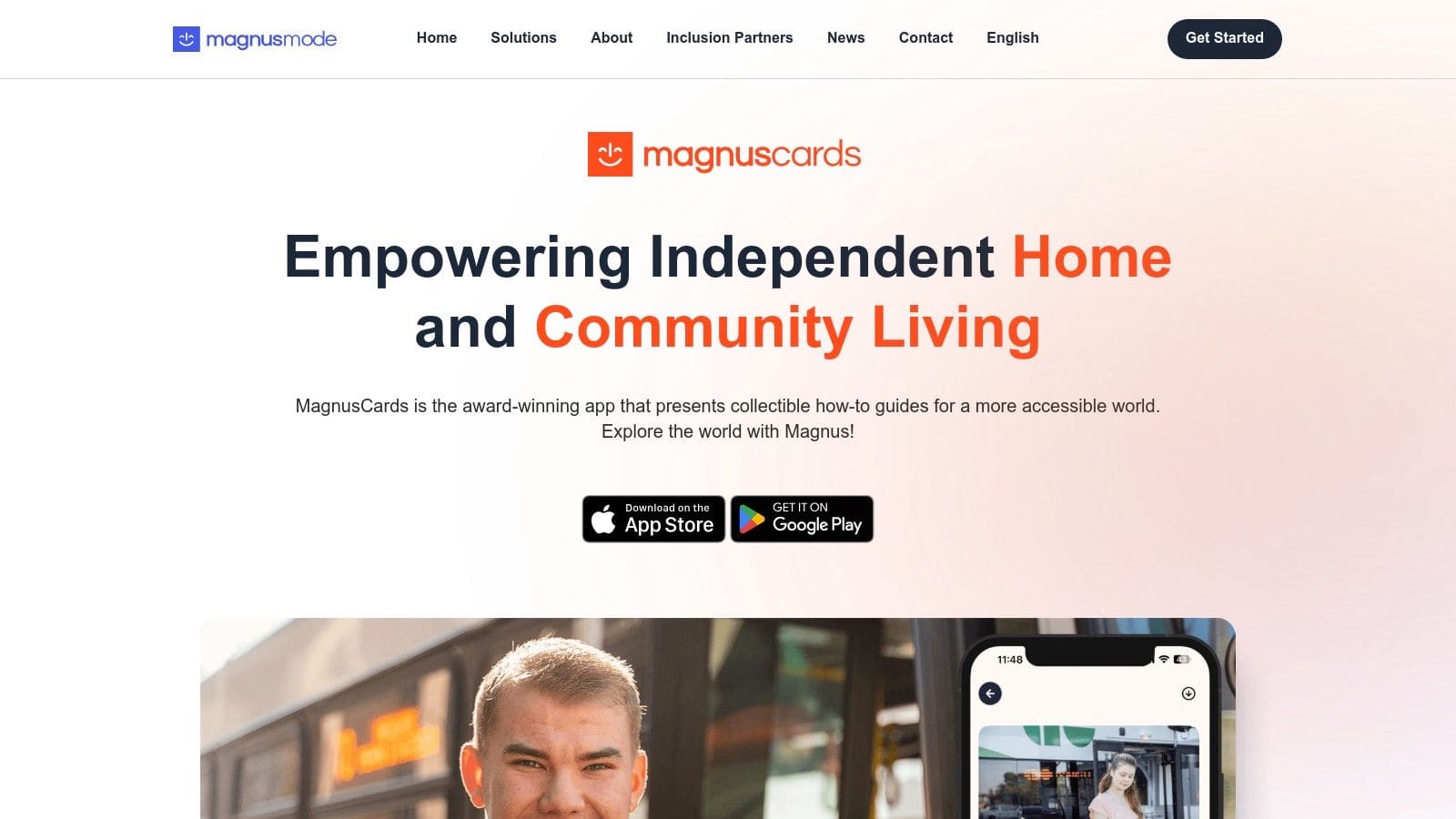
MagnusCards is a digital life skills library designed to build independence and reduce anxiety around daily tasks. It's one of the most practical free apps for autistic adults because it offers structured, visual guidance for real-world activities, from grocery shopping to using public transit. Developed by Magnusmode, the app uses "Card Decks," which are step-by-step digital guides combining images, simple text, and audio instructions to make complex routines manageable.
Core Features & Use Cases
This app is perfect for practicing and executing multi-step tasks that can cause executive dysfunction or social stress. It helps build confidence by providing a predictable script for new or challenging situations.
* Step-by-Step Card Decks: Each deck breaks down a task, like ordering a coffee or going through airport security, into simple, visual steps. Users swipe through cards at their own pace, with optional audio narration reinforcing each instruction.
* Brand-Specific Content: MagnusCards partners with companies like CIBC, A&W, and various transit authorities to create decks for their specific services. This means you can practice the exact process of using an ATM at a particular bank or ordering from a specific restaurant menu.
* Skill Building & Reinforcement: The app provides a structured way to learn and master life skills. Using a deck repeatedly can help internalize a routine, which is invaluable for managing tasks that can feel overwhelming.
What You Should Know
The app is completely free and ad-free, supported by its corporate and community partners. Its strength is its concrete, low-cognitive-load instructions that are easy to follow in real time. The library of Card Decks is extensive, especially in North America, but the depth and availability can vary by region and partner. While excellent for in-the-moment guidance, MagnusCards is not a full-featured planner and works best alongside a calendar or task management app for scheduling.
Website: Learn more about MagnusCards
3. Molehill Mountain (Autistica)
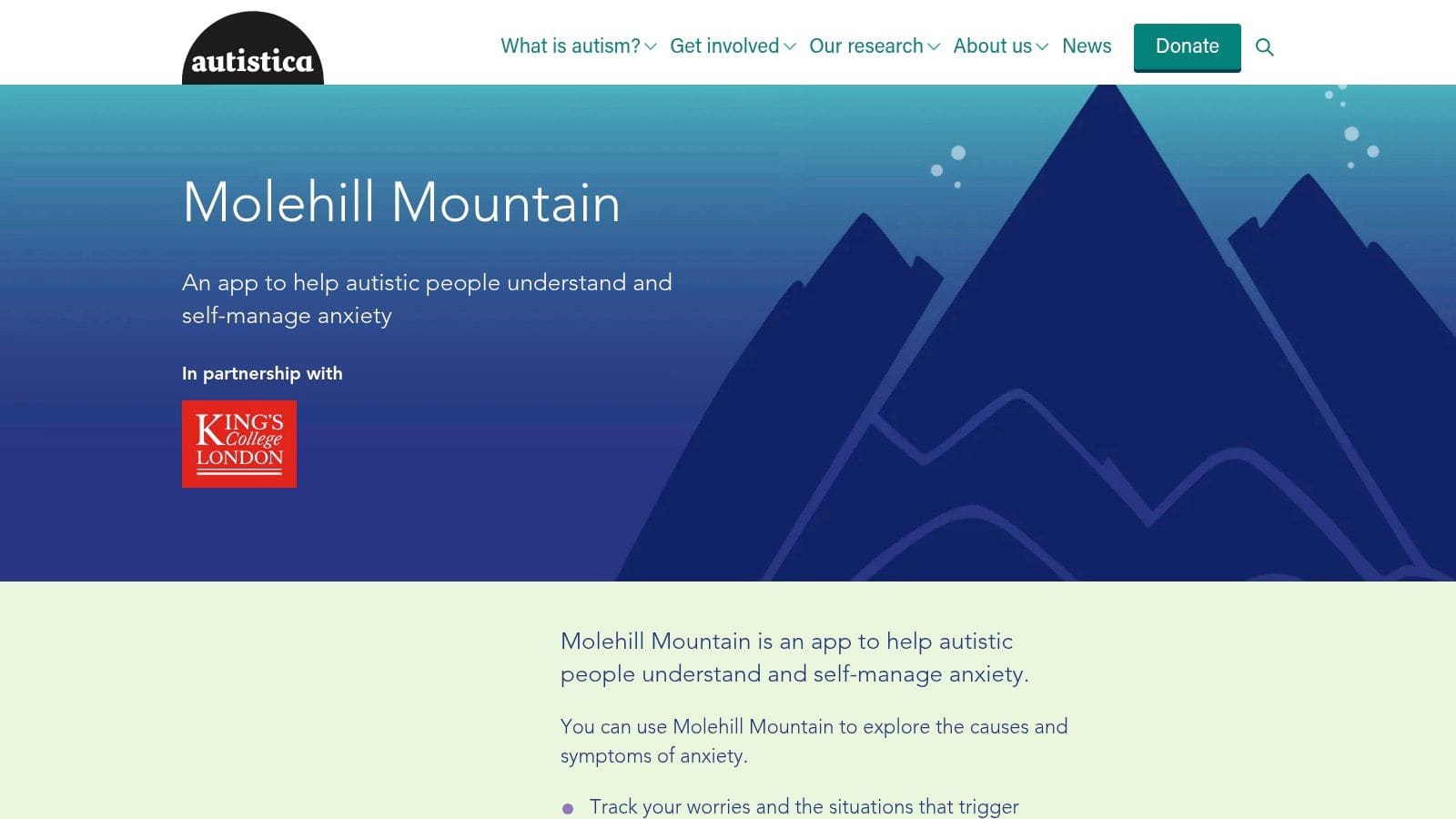
Molehill Mountain is a purpose-built anxiety management app co-developed by the research charity Autistica and King's College London. What makes it a standout choice is its foundation in Cognitive Behavioral Therapy (CBT) techniques adapted specifically for the autistic experience. Rather than applying generic mental health strategies, it helps users track worries and identify triggers through an autism-informed lens.
Core Features & Use Cases
This app is best for autistic adults who want a structured, private way to understand and manage daily anxiety. It excels at making the connection between internal feelings and external events.
* Daily Check-ins: The app prompts you to log your anxiety levels and the primary cause. This simple daily habit helps build self-awareness over time, turning abstract feelings into tangible data.
* Autism-Informed CBT: Instead of generic advice, the app provides practical tips and mini-tools that address common autistic stressors, like sensory sensitivities and social situations. It helps reframe "molehills" before they become "mountains."
* Worry & Trigger Logging: You can track specific worries throughout the day. Over time, the app's simple charts help you spot patterns, such as whether certain environments, times of day, or social interactions consistently raise your anxiety.
What You Should Know
Molehill Mountain is completely free on the US and UK app stores, created as a public resource. Because it was co-designed with autistic individuals, its approach feels validating and relevant. However, some users may find the graphs and logging rules a bit rigid. It's also important to remember this tool is for self-management and is not a substitute for professional therapy for severe anxiety.
Website: Download Molehill Mountain
4. MindShift CBT
MindShift CBT is an award-winning app designed to help manage anxiety using Cognitive Behavioral Therapy (CBT) principles. While not created specifically for autism, it is one of the most robust free tools seeking structured ways to handle co-occurring anxiety, perfectionism, or worry. Developed by Anxiety Canada, it acts as a private, portable toolkit for understanding and reframing anxious thoughts.
Core Features & Use Cases
This app is perfect for logically breaking down anxious thoughts and building a library of self-help strategies for moments of overwhelm.
* Thought Journal: This feature guides you through a classic CBT thought record. You can identify a distressing situation, note your automatic negative thoughts, challenge them by looking for evidence, and then create a more balanced, alternative thought. It's a powerful tool for deconstructing catastrophic thinking.
* Chill Zone: A collection of guided audio tracks for mindfulness, meditation, and controlled breathing exercises. These are excellent for grounding yourself during periods of high stress or sensory overload.
* Coping Cards: Create digital flashcards with helpful statements or reminders. You can write your own ("It's okay to ask for a break") or choose from pre-written ones. Shuffling through them can provide quick comfort and perspective.
* Facing Fears (Exposure): For tackling specific phobias or social anxiety, the app provides a structured way to create a "fear ladder." This helps you gradually expose yourself to anxiety-inducing situations in small, manageable steps.
What You Should Know
MindShift CBT is completely free to download and use, with no hidden costs or subscriptions. Its user interface is clean and friendly, making it approachable even on days when energy is low. Because it is a general anxiety tool, the content isn't autism-specific, so it works best when paired with an understanding of how your autistic traits intersect with anxiety. The app's guidance is straightforward but not a replacement for professional therapy.
Website: Get the MindShift CBT app
Want free tools that actually help? tonen can help.
tonen gives you 188+ conversation scripts, tone guidance and calming tools — designed for autistic adults, ADHD and social anxiety. Try it free for 7 days.
Download on the App StoreiOS only. Android coming soon.
5. Smiling Mind
Smiling Mind is an excellent, entirely free meditation app developed by a nonprofit, making it a valuable tool for autistic adults seeking to manage stress and regulate their nervous system. Unlike many mindfulness apps that hide their best content behind a paywall, Smiling Mind offers its complete library for free, focusing on structured, accessible programs for things like sleep, focus, and handling difficult emotions. It's an ideal choice for those who need practical, bite-sized tools for down-regulation after experiencing sensory or social overload.
Core Features & Use Cases
The app is perfect for building a consistent mindfulness routine, especially when energy is low or you only have a few minutes.
* Themed Mindfulness Programs: Smiling Mind organizes its content into structured programs like "Stress," "Sleep," "Relationships," and "Workplace." This helps you target specific areas of difficulty and follow a clear path rather than randomly picking meditations.
* Short, Guided Meditations: Many practices are just a few minutes long, making them approachable for beginners or for use during a moment of overwhelm. This is ideal for practicing grounding techniques without a significant time commitment.
* Progress Tracking: The app allows you to track your sessions and monitor how you feel over time, which can provide helpful personal data on what strategies work best for your emotional regulation needs.
What You Should Know
Developed by an Australian nonprofit, the app is 100% free with no paywalls or ads. All content is available upon download. A key consideration is that the meditations are generic mindfulness practices and are not specifically tailored to autistic experiences or sensory profiles. The narrator's voice or background sounds may not be a good fit for everyone, so it's worth sampling a few sessions to see if the style works for you. Still, its no-cost, structured approach makes it a fantastic starting point for building a self-regulation toolkit.
Website: Discover Smiling Mind
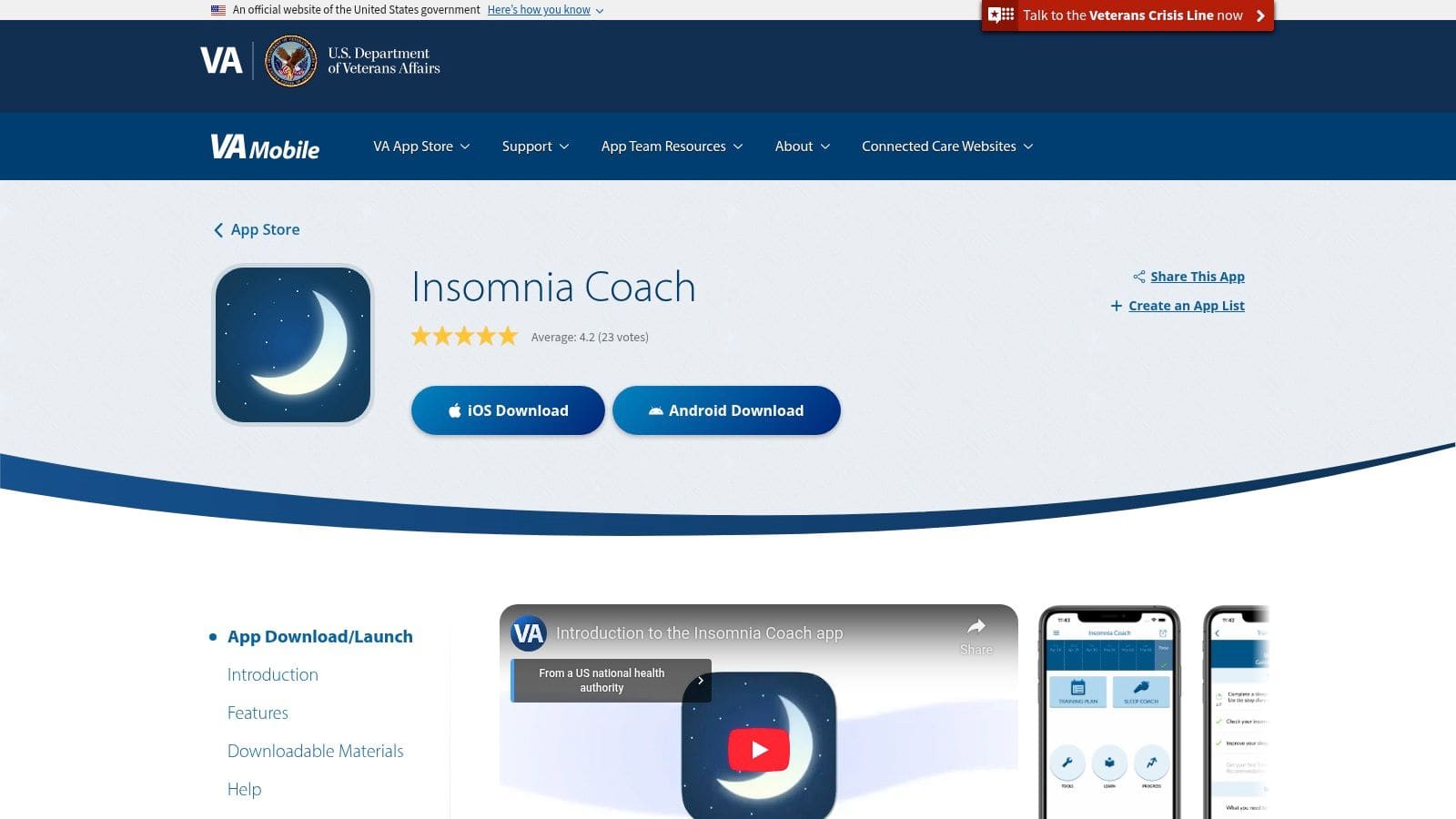
6. Insomnia Coach (U.S. Department of Veterans Affairs)
Insomnia Coach is a powerful, evidence-based tool for addressing chronic sleep problems, a common challenge for many autistic individuals. Created by the U.S. Department of Veterans Affairs but available to everyone, it stands out by offering a structured, multi-week Cognitive Behavioral Therapy for Insomnia (CBT-I) program. Rather than just offering soothing sounds, it provides a guided plan to help you rebuild healthy sleep patterns from the ground up.
Core Features & Use Cases
This app is best for those who experience persistent difficulty falling or staying asleep and are ready to commit to a structured routine.
* Guided CBT-I Training Plan: The app guides you through a five-week course to reset your sleep cycle. It uses proven techniques like stimulus control (only using your bed for sleep) and sleep restriction to improve sleep efficiency.
* Interactive Sleep Diary: You'll log your sleep patterns daily, and the app provides personalized feedback and calculates your "sleep efficiency score." This helps you concretely track progress and understand how your habits affect your rest.
* Practical Sleep Tools: It includes guided relaxation exercises, tips for managing racing thoughts, and educational resources on sleep hygiene. Reminders can be set to help establish a consistent wind-down routine.
What You Should Know
The entire app is completely free, with no ads or in-app purchases. It was designed with privacy in mind, requiring no account or personal information to use. Its strength lies in its structured, research-backed CBT-I approach, which means it requires consistent effort to see results; it is not a quick-fix relaxation app. The data-driven method can be especially helpful for autistic adults who appreciate clear systems and measurable feedback.
Website: Learn about Insomnia Coach
7. Habitica
Habitica transforms routine management into an engaging role-playing game (RPG), making it an excellent tool for autistic adults who thrive on external rewards and structured progress. It gamifies daily tasks, habits, and to-do lists, turning self-care and executive function support into a quest. This unique approach helps build and maintain routines by providing clear, satisfying feedback in the form of experience points (XP), virtual gold, and collectible items.
Core Features & Use Cases
This app is ideal for breaking down overwhelming goals into manageable, motivating steps and tracking progress in a visually rewarding way.
* Habits, Dailies, and To-Dos: The system is split into three categories. "Dailies" are recurring tasks that cause your character to take damage if missed, creating gentle accountability. "Habits" can be positive or negative, offering rewards for good actions and penalties for bad ones. "To-Dos" are one-off tasks you check off for a gold reward.
* RPG-Style Progression: Completing tasks earns you XP to level up your avatar and gold to buy gear, backgrounds, or even pets. This external reward system can be a powerful motivator for tasks that might otherwise feel draining or unrewarding.
* Social Accountability: You can join "Guilds" with other users who share your interests or form a "Party" with friends. In a party, failing to complete your Dailies can cause damage to everyone, creating a cooperative and supportive environment for staying on track.
What You Should Know
Habitica's core functionality is completely free, supported by a robust and long-standing community. While the gamified interface can be very motivating, some users may find it visually busy or overstimulating at first. An optional subscription (Gems or a monthly plan) unlocks cosmetic items and other non-essential extras.
Website: Start your quest with Habitica
8. Routinery
Routinery is an exceptional tool for autistic adults who struggle with executive functions like task initiation, sequencing, and time blindness. It transforms overwhelming daily routines into a guided, step-by-step process. Among the many apps available, Routinery shines by creating a "timer stack" that walks you through each part of your morning or evening sequence, reducing decision fatigue and building consistent habits.
Core Features & Use Cases
This app is perfect for structuring the start and end of your day or breaking down multi-step tasks that feel daunting.
* Sequential Timers: The main feature is its ability to chain timers together. When the timer for "Brush Teeth" ends, the timer for "Get Dressed" automatically begins. This one-thing-at-a-time flow prevents you from feeling rushed or losing track of what comes next.
* Visual and Audio Cues: Each step is accompanied by a clear visual and a gentle sound, providing a helpful transition marker that can make switching tasks less jarring. It shows your progress, which is motivating.
* Templates and Customization: You can start with pre-built routine templates or create your own from scratch. Adding, removing, or reordering steps is simple, allowing you to fine-tune your process for good days and bad.
What You Should Know
Routinery operates on a freemium model. The free version is quite generous, allowing you to create up to two routines, which is often sufficient for a morning and evening structure. A Premium subscription unlocks unlimited routines, advanced analytics, and more customization. While the timed nature is excellent for time blindness, it can feel rigid if the time needed for a task varies daily. You can, however, manually advance to the next step at any time.
Website: Build routines with Routinery
9. Daylio
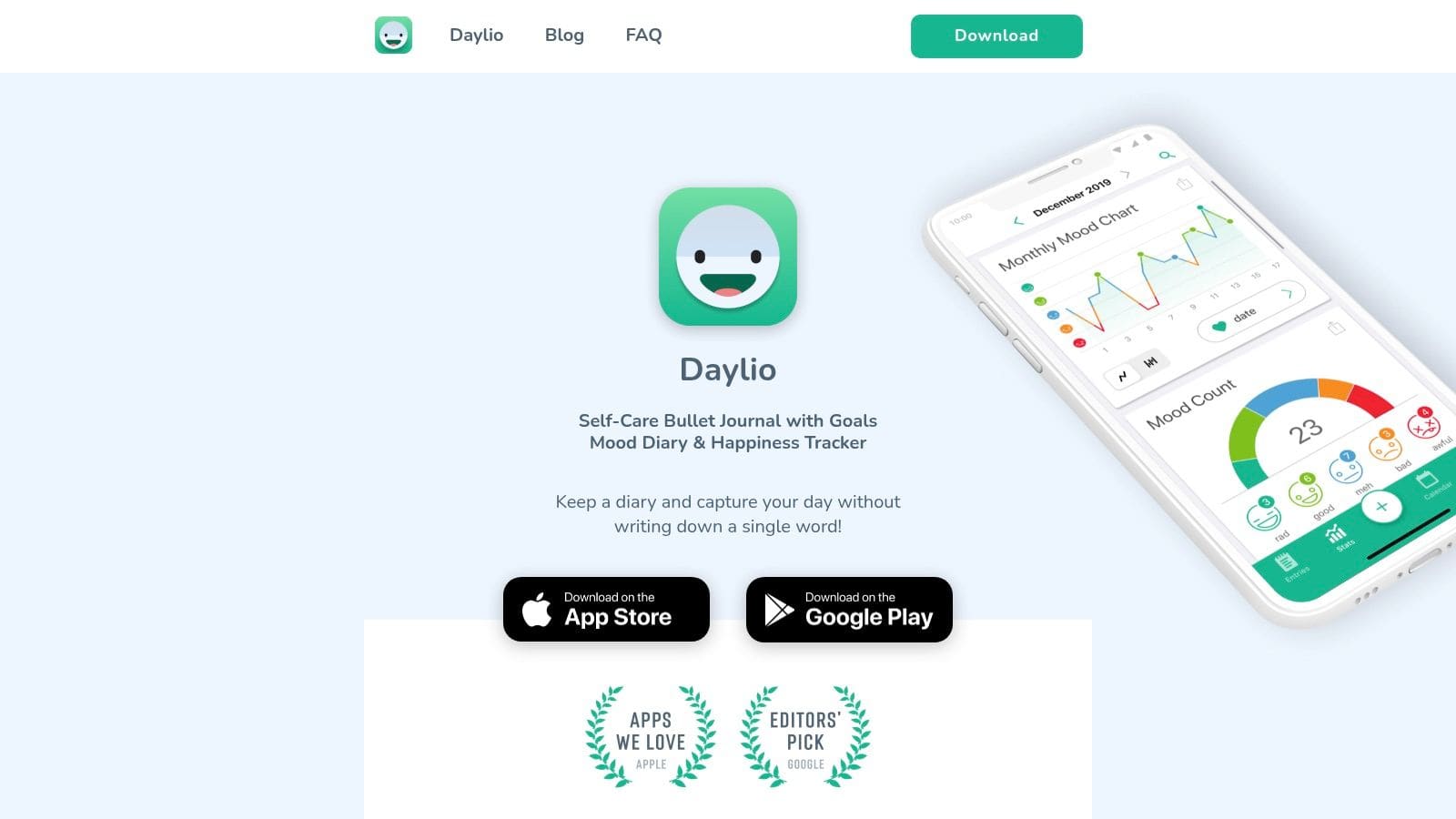
Daylio is a private, tap-based journal that helps you track your mood and activities without needing to write a single word. It excels by offering an extremely low-effort way to identify patterns between daily routines, sensory input, social energy, and emotional well-being. Its design makes daily logging quick and frictionless, which is key for building a sustainable habit.
Core Features & Use Cases
This app is perfect for anyone who wants to understand their own triggers and supports without the cognitive load of traditional journaling.
* One-Tap Mood & Activity Logging: Simply select your current mood and tap on icons representing activities you did that day (e.g., "work," "socializing," "sensory overload," "good sleep"). You can customize these activities entirely, making it possible to track very specific things relevant to autistic experience.
* Charts & Trend Visualization: The app automatically generates charts and a "year in pixels" view. This helps you visually correlate activities with moods. For example, you might notice that your mood consistently dips after days with lots of social interaction or improves on days you stick to a specific routine.
* Daily Reminders: Customizable reminders help ensure you don't forget to log your entry, which is crucial for collecting consistent data about yourself.
What You Should Know
The free version of Daylio is highly functional and sufficient for basic pattern tracking. Key features like advanced analytics, goal setting, and the ability to export your data as a CSV or PDF file are locked behind a paid premium subscription. While the free tier offers great personal insight, those who want to share data with a therapist or perform their own deeper analysis will need to upgrade. The interface is intuitive, but setting up custom activities to accurately reflect your life is an important first step.
Website: Try the Daylio journal app
10. Cboard (Open‑source AAC)
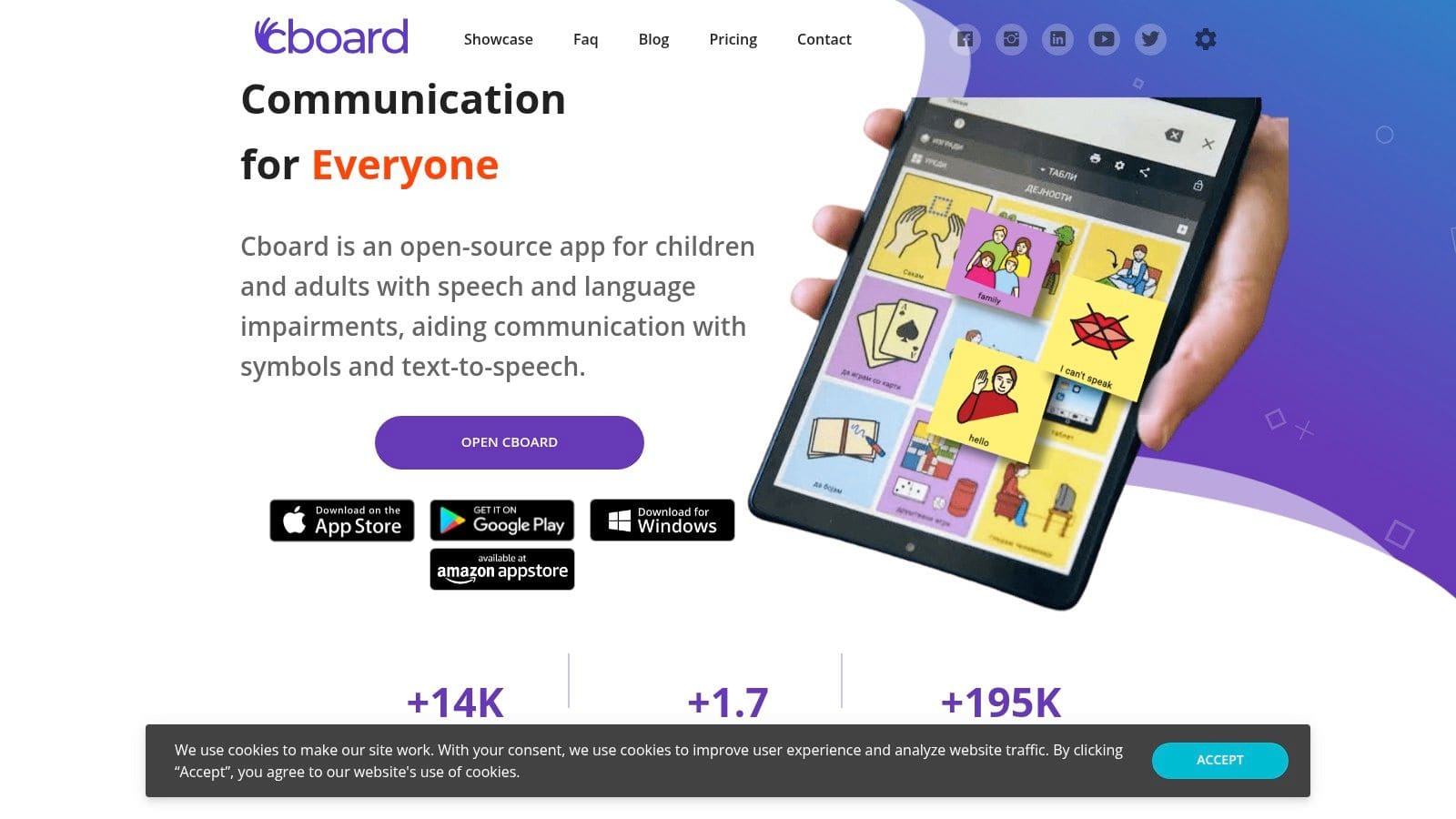
Cboard is a powerful and completely free augmentative and alternative communication (AAC) web and mobile app. It stands out because it is open-source, giving users total control without the high costs often associated with dedicated AAC devices. Cboard provides symbol-based communication boards with text-to-speech output, making it an excellent starting point or backup system for autistic individuals who are non-speaking, minimally speaking, or experience situational mutism.
Core Features & Use Cases
This app is perfect for creating personalized communication boards that can be accessed from nearly any device with a browser.
* Symbol-Based Communication: Cboard uses a library of familiar symbols that users can tap to build sentences, which are then spoken aloud by a synthesized voice. This is ideal for expressing needs, thoughts, and feelings when verbal speech is difficult.
* Customizable Boards: You can easily create new boards from scratch or modify existing ones. Users can add personal photos, group symbols into custom categories, and arrange the layout to match their unique communication style and motor skills.
* Cross-Platform & Offline Access: It works directly in a web browser on a computer or tablet and also has dedicated mobile apps. Once a board is loaded, it can function offline, ensuring communication is always possible, even without an internet connection.
* Multi-Language Support: The platform supports a wide array of languages and voices, making it accessible to a global community of users.
What You Should Know
Cboard is 100% free and open-source, so you never have to worry about subscriptions or hidden fees. While it offers great flexibility, the initial setup of customizing boards can be time-consuming compared to some paid apps that come with pre-configured, extensive layouts. The range of built-in voices may also be less extensive than premium AAC software.
Website: Discover the Cboard communication app
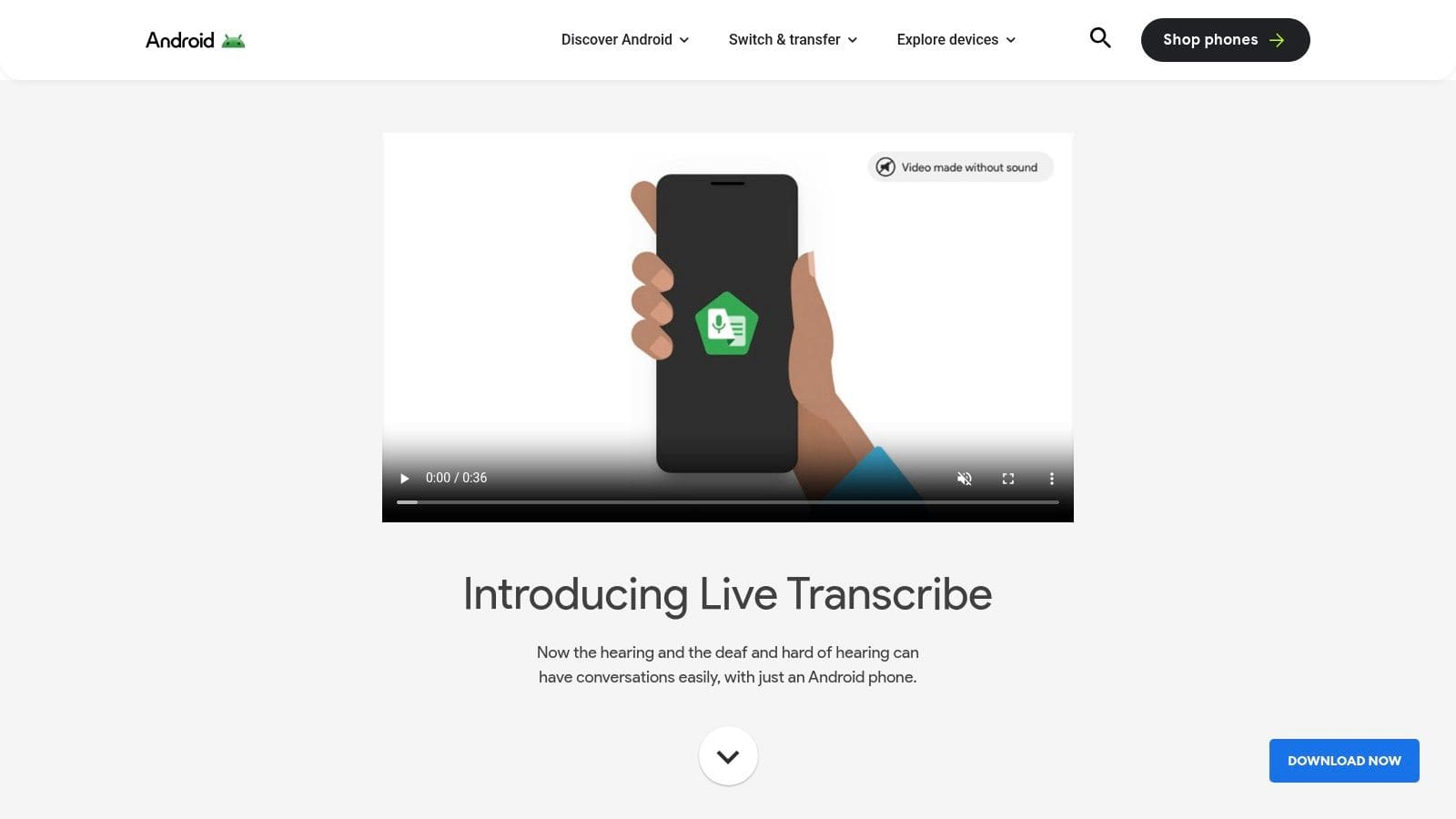
11. Live Transcribe & Sound Notifications (Android)
For autistic adults who experience auditory processing differences or find it hard to follow spoken conversations, Google's Live Transcribe & Sound Notifications is an essential tool. This powerful app acts as a real-time speech-to-text engine, providing live captions for conversations happening around you. It stands out by reducing the cognitive load of listening and processing, making interactions in noisy environments or professional settings much more manageable.
Core Features & Use Cases
This app is ideal for anyone needing visual support to comprehend speech, whether in a one-on-one chat, a doctor's appointment, or a remote meeting.
* Real-Time Captions: The primary function displays spoken words as text on your screen almost instantly. You can follow along visually, reducing the stress of missing key information. Transcripts can be saved for three days, allowing you to review them later.
* Sound Notifications: Beyond speech, the app can alert you to important environmental sounds. It recognizes things like smoke alarms, doorbells, or a baby crying and sends a notification to your phone, which is helpful for those who use noise-canceling headphones frequently.
* Multi-Language Support: It transcribes in over 80 languages and dialects, making it a versatile tool for communication in diverse settings. It works with your phone's microphone, an external mic, or even audio playing from your device.
What You Should Know
Live Transcribe & Sound Notifications is completely free and pre-installed on Pixel phones, but it's available for any Android device via the Google Play Store. Its primary limitation is that it's Android-only and not available for iOS. The transcription accuracy is high but depends on clear audio input, so it works best in quieter spaces or with a direct microphone source. Beyond Live Transcribe, many other tools can assist with converting audio to text. For a comprehensive overview, explore these free audio to text transcription methods to find additional options.
Website: Explore Live Transcribe & Sound Notifications
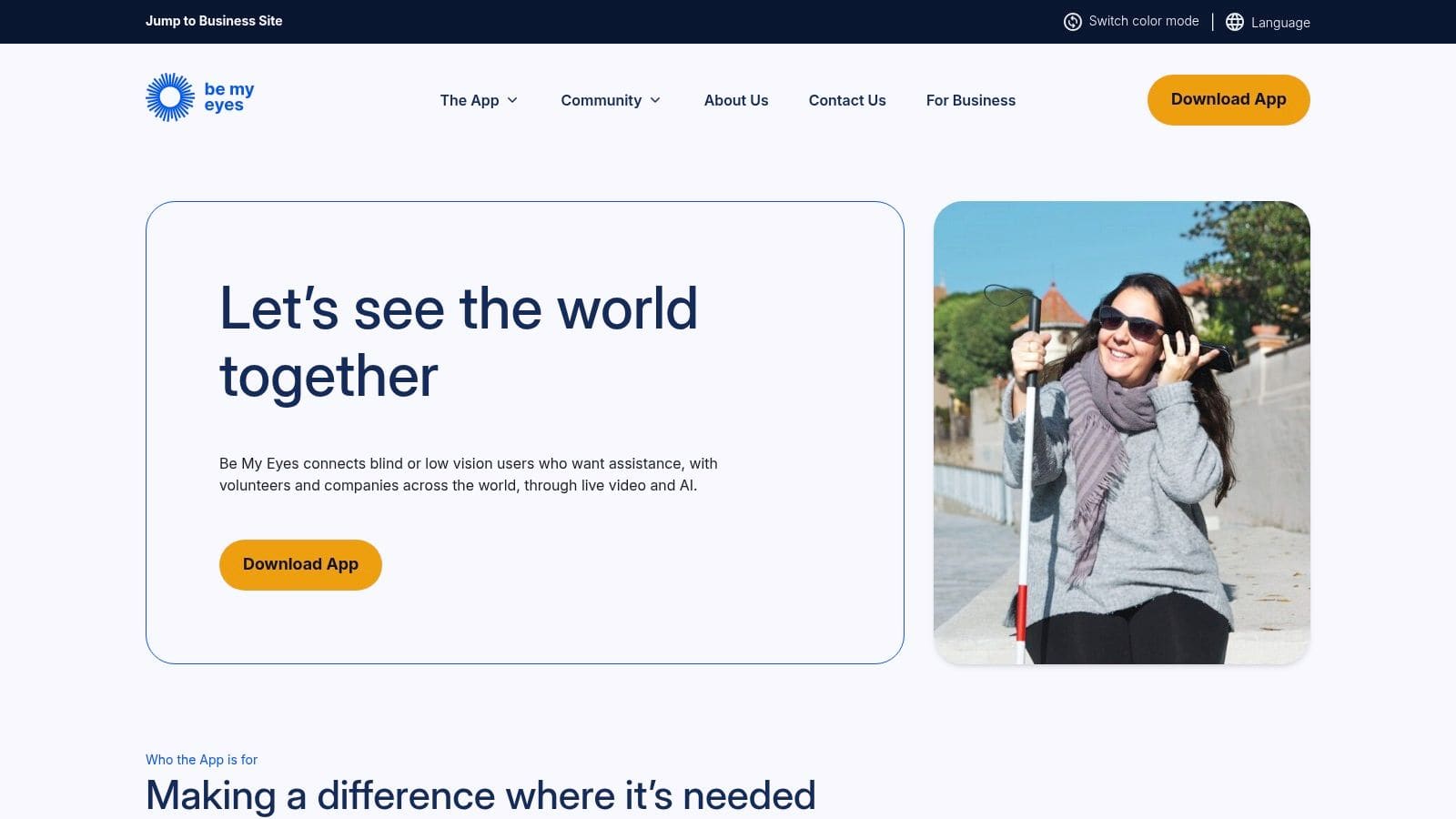
12. Be My Eyes
Be My Eyes is a powerful support tool that provides on-demand visual assistance, making it one of the most practical free apps available. It reduces executive function load and anxiety in moments of visual uncertainty by connecting you instantly to a global network of volunteers or an AI assistant. The app is designed to help with immediate, real-world tasks, like reading confusing labels or navigating an unfamiliar space, offering a quick solution that fosters independence.
Core Features & Use Cases
This app is perfect for moments when you need a second pair of eyes to confirm information without the stress of asking someone in person.
* Live Volunteer Assistance: With a single tap, you start a live video call with a sighted volunteer who can help with tasks like reading expiration dates, matching clothes, or deciphering washing machine settings. This is ideal for getting quick, friendly help without judgment.
* AI Visual Assistant: For even faster results, the "Be My AI" feature allows you to take a picture of anything, and a powerful AI will describe it in detail. You can ask it to read text from an image, describe a scene, or identify an object, providing instant clarity.
* Service Directory: The app includes a "Service Directory" that connects you directly to the accessible customer support teams of major companies. This allows you to get specialized help with products and services from trained professionals.
What You Should Know
Be My Eyes is completely free, operating as a nonprofit initiative. It empowers users by providing immediate help for small but often stressful visual challenges. The app requires an internet connection and camera access to function. While volunteers are excellent for brief, task-oriented assistance, the service is not intended for continuous guidance or emotional support. It's an indispensable tool for boosting confidence in daily life.
Website: Download the Be My Eyes app
12 Free Apps for Autistic Adults — Comparison
| App | Core features ✨ | UX quality ★ | Value 💰 | Best for 👥 | Standout 🏆 |
|---|---|---|---|---|---|
| KultureCity App | Map of Sensory‑Inclusive venues, social stories, feeling thermometer, Koji talker | ★★★★ | 💰 Free | 👥 Outing planners, families, travelers | 🏆 Venue network & visit previews |
| MagnusCards | Step‑by‑step Card Decks (images/text/audio), brand‑specific flows, progress badges | ★★★★ | 💰 Free | 👥 Life‑skills learners seeking independence | 🏆 Real‑brand practice decks |
| Molehill Mountain | Autism‑informed CBT, daily check‑ins, worry & trigger logging, simple charts | ★★★★ | 💰 Free | 👥 Autistic adults with anxiety | 🏆 Co‑designed, evidence‑based CBT |
| MindShift CBT | Thought records, exposure tools, coping cards, guided audios | ★★★★ | 💰 Free | 👥 People using CBT for anxiety/self‑help | 🏆 Comprehensive CBT toolkit |
| Smiling Mind | Themed short mindfulness programs, guided meditations, progress tracking | ★★★★ | 💰 Free | 👥 Low‑energy users needing quick down‑regulation | 🏆 Charity‑run, bite‑sized practices |
| Insomnia Coach | Multi‑week CBT‑I, sleep diary, personalized feedback, education | ★★★★ | 💰 Free | 👥 People with chronic sleep issues | 🏆 Research‑grounded CBT‑I program |
| Habitica | Habits/Dailies/To‑Dos with RPG rewards, social guilds, reminders | ★★★ | 💰 Free core (optional premium) | 👥 Gamification fans, people needing motivation | 🏆 Strong gamified accountability |
| Routinery | Sequential timers, checklists, widgets, phone & watch support | ★★★★ | 💰 Free core (premium for extras) | 👥 Time‑blind users, routine builders | 🏆 One‑step, low‑decision flow |
| Daylio | One‑tap mood logging, activity tags, trend charts, reminders | ★★★★ | 💰 Free (paid analytics/export) | 👥 Quick mood trackers, low‑typing users | 🏆 Very low cognitive load journaling |
| Cboard (AAC) | Symbol boards, text‑to‑speech, customizable boards, offline/web support | ★★★ | 💰 Free & open‑source | 👥 Minimally speaking users, AAC backups | 🏆 Open‑source customizability |
| Live Transcribe & Sound Notifications | Real‑time captions, transcript saving, environmental sound alerts | ★★★★ | 💰 Free | 👥 Android users needing live captions | 🏆 Fast, accurate real‑time captions |
| Be My Eyes | One‑tap video help to volunteers, AI visual assistant, Service Directory | ★★★★ | 💰 Free | 👥 Users needing on‑demand visual support | 🏆 Instant volunteer video assistance |
Building Your Personalised Digital Toolkit
The journey to finding supportive tools is deeply personal, and the collection of free apps for autistic adults we've explored offers a powerful starting point for that process. From managing sensory overload with the KultureCity app to structuring daily tasks with Routinery, the right technology can act as a crucial external scaffold. The ultimate goal is not to fill your phone with every app on this list, but to mindfully select and build a personalised digital toolkit that genuinely reduces cognitive load and supports your specific needs. This curated system can help you conserve energy, communicate more effectively, and navigate social or professional environments with greater confidence.
Choosing Your Starting Point
Overwhelmed by the options? That's a completely normal reaction. Instead of trying to implement everything at once, focus on identifying your most significant current challenge.
* Is social anxiety or cognitive behavioural therapy (CBT) a priority? Start by exploring Molehill Mountain or MindShift CBT. Their structured, self-paced approaches can help you build coping mechanisms without the pressure of a live appointment.
* Do you struggle with executive functions like task initiation or routine-building? Habitica's gamified approach or Routinery's guided workflows could provide the external motivation and structure you need to get started and stay consistent.
* Is communication a key barrier? For non-speaking or situational-mutism needs, an AAC app like Cboard is essential. For processing auditory information in real-time, Google's Live Transcribe can be a game-changer in meetings or noisy environments.
Select just one or two apps that align with your most pressing need. Spend a week or two actively using them. Pay attention to how they feel. Does the interface make sense to you? Is the sensory input (notifications, sounds, colors) helpful or distracting? This experimental phase is critical; an app that works wonderfully for one person might be a source of stress for another.
Implementation and Long-Term Success
Once you've found an app that feels right, integrating it into your life is the next step. True support comes from consistent use, which requires building a new habit.
> Key Takeaway: The best tool is the one you actually use. Focus on creating a low-effort system for incorporating an app into your daily life. Connect it to an existing habit, like opening Routinery while your coffee brews or checking Daylio before bed.
Remember to periodically review your digital toolkit. Our needs change over time. An app that was essential for managing university coursework might become less relevant after graduation, while a tool for navigating workplace communication becomes more important. Don't be afraid to discard apps that no longer serve you to make space for ones that do. Privacy is another important factor; always review the permissions an app requests and understand its data collection policies, as we outlined for each tool.
Ultimately, these tools are just that: tools. They are not a replacement for self-compassion, community support, or professional guidance. They are aids designed to lighten the load, provide structure where it's needed, and empower you to direct your energy toward what truly matters. By combining the right technology with a deep understanding of your own needs and preferences, you can construct a powerful, personalised support system that helps you thrive on your own terms.
*
While many free apps provide excellent foundational support, some challenges, like interpreting social tone, require more specialised tools. If you find auditory processing or understanding conversational nuance to be a persistent barrier, tonen offers a real-time tone and emotion analysis app. You can explore tonen with a free trial to see if it's the right fit for your toolkit.
Frequently asked questions
This guide covers 12 best free apps for autistic adults with practical, neurodivergent-friendly strategies—clear steps, scripts where useful, and ways to reduce anxiety or overload rather than vague "be confident" advice.