The best ai tool to rewrite messages tone in 2026 is one that acts as a true communication partner, and our top pick is Tonen. When you're struggling to find the right words, Tonen helps you adjust your message's feel—whether you need to sound more Warm or Direct—without losing your authentic voice. It's specifically designed to be a simple, neurodivergent-friendly way to reduce communication anxiety and build confidence by turning confusing drafts into clear, effective messages that say exactly what you mean.
This is exactly why specialized apps like Tonen exist. They understand what you're trying to say, support your unique voice, and help take the edge off communication anxiety.
Your Guide to Effortless Communication With AI
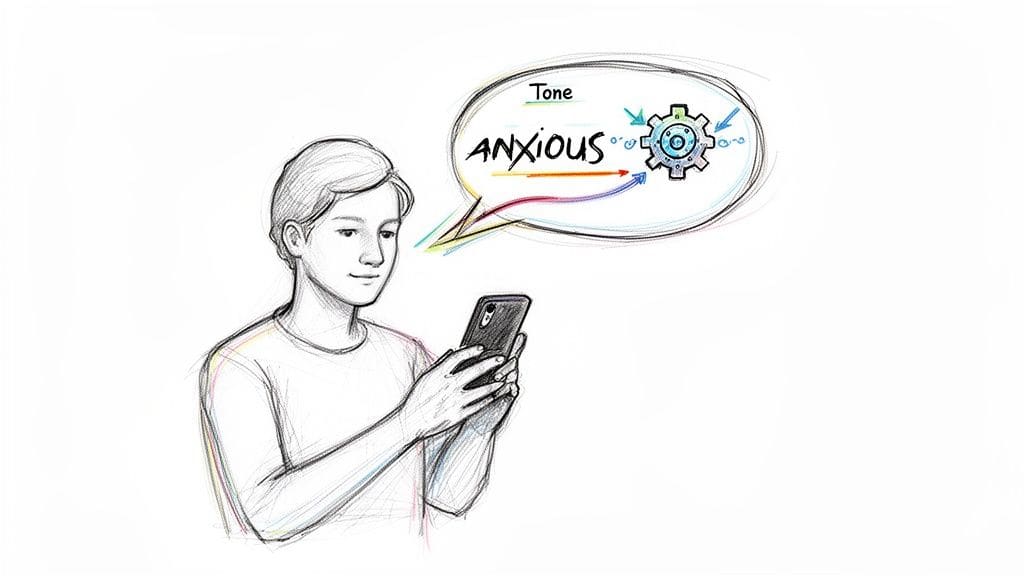
For many of us, especially those with autism, ADHD, or social anxiety, navigating conversations can feel like walking on a tightrope. The constant fear of being misunderstood adds a heavy layer of stress to just about every interaction.
This is where an ai tool to rewrite messages tone becomes more than a writing gadget. It acts as a genuine communication partner, helping you turn confusing drafts into clear, effective messages that say exactly what you mean. The goal isn't to change you, but to give you the tools to build real confidence, one conversation at a time.
Why Tone Matters in Digital Communication
When you're texting or emailing, all the things that give conversations context—like body language and vocal inflection—are completely gone. It's no wonder misunderstandings happen so often. A direct request can come off as demanding. A dry joke can land flat and cause real offense.
An AI-powered tool acts as a helpful gut-check, giving you a preview of how your words might sound to someone else. It gives you the power to make small tweaks that ensure your message lands exactly as you intend it to.
> This technology isn't about changing who you are. It's about giving you tools to express yourself with more clarity and less anxiety. It simply bridges the gap between your intent and the other person's perception.
Using AI to refine text isn't a niche idea anymore. Imagine trying to craft the perfect email to your boss when social anxiety has your thoughts all tangled up—AI is changing that for millions. Projections for 2026 show that a staggering 97% of content marketers plan to use AI. Globally, 40% of all AI usage is already focused on text generation and refinement. You can read more about these AI writing statistics on siegemedia.com and see how this trend is benefiting everyone.
So, how does using an ai tool to rewrite messages tone actually help?
* Reduces Communication Anxiety: By giving you clear alternatives, it removes the stressful guesswork from drafting important messages.
* Builds Confidence: When you navigate conversations without misunderstandings, it reinforces your ability to communicate effectively.
* Saves Mental Energy: Instead of endlessly re-reading and second-guessing your drafts, you can get it right the first time. This frees up so much mental space for other things.
Comparing Tone Adjustment Tools for Different Needs
It's helpful to see how different AI tools handle tone rewriting. While general-purpose AI writers have some capabilities, they often lack the focus and safety features that neurodivergent users need. A specialized tool is built from the ground up to address these specific challenges.
Here's a quick look at how they stack up.
| Tool Feature | General AI Writer (e.g., ChatGPT) | Specialized Tool (e.g., Tonen) |
|---|---|---|
| Primary Goal | Generate a wide variety of content | Refine tone for clear, authentic communication |
| User Interface | Can be complex, with many options | Clean, simple, and low-cognitive-load by design |
| Tone Options | Broad and generic (e.g., "formal," "casual") | Nuanced and contextual (e.g., Direct, Warm, Firmer) |
| Privacy | Often uses data for training; may not be private | Privacy-first; data is stored locally on your device |
| Support Features | None | Includes built-in tools for anxiety, like a Calm Kit |
| Best For | Creative brainstorming, long-form content | Real-time communication support, reducing anxiety |
As you can see, while a general AI can get you part of the way there, it's not designed for the delicate work of navigating social communication. Apps like Tonen are built specifically for these challenges, providing a supportive and private environment to practice and hone your communication skills.
How to Choose the Right Tone for Any Situation
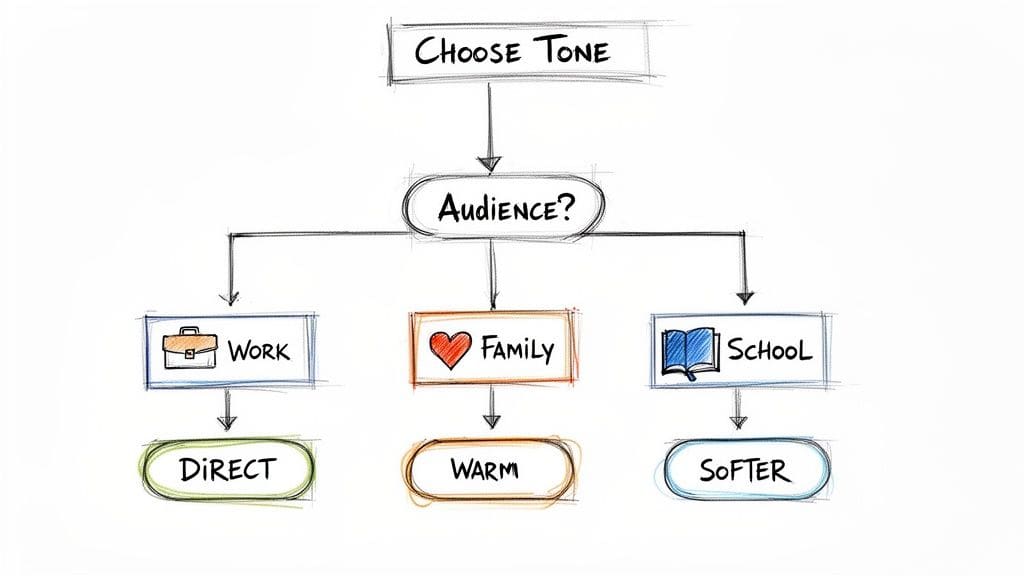
Trying to pick the right tone for a message can feel like a high-stakes guessing game. Get it wrong, and you risk a misunderstanding or hurt feelings. This is where an ai tool to rewrite messages tone, like Tonen, becomes so helpful—it turns that guesswork into a conscious, deliberate choice.
The key is to think before you write. This isn't about following rigid rules but about building your intuition. I've found that asking myself two simple questions before I even start typing makes a huge difference.
> What's my relationship with this person? And what do I want them to do or feel after reading this?
Your answers create the entire foundation for your tone. A direct request to your manager, for example, needs a completely different feel than a supportive text to a friend, even if the basic information you're sharing is the same.
Matching Tone to Your Goal and Audience
Let's walk through how this works in real life using Tonen's options. Imagine you need to tell someone you can't make it to an event. The what is simple. The how changes everything.
* Work Context (Direct): You need to tell your boss you're skipping a non-essential meeting to focus on a deadline. The goal here is just clear, professional communication. A Direct tone works perfectly. It's efficient, respectful, and leaves no room for misinterpretation.
* Family Context (Warm): You have to back out of a family dinner because you're feeling completely overwhelmed. Your goal is to show you're genuinely sorry while reassuring them that you care. A Warm tone softens the rejection and reinforces your relationship.
* School Context (Softer): A classmate asks for help with an assignment, but you're also swamped and need to protect your own time. The goal is to say no without creating tension. A Softer tone kindly communicates your limits while still showing empathy.
When you start with the context, you can use an ai tool to rewrite messages tone to build a message that actually lands the way you intend it to.
When to Use a Firmer Tone
Sometimes, kindness isn't about being soft; it's about being clear. This is where a Firmer tone becomes an essential tool, especially when a gentler approach hasn't gotten the message across. It isn't about being mean or aggressive—it's about being direct and unwavering.
Think about these situations:
* Setting a boundary: "I've mentioned before that my plate is full. I need to focus on my current projects."
* Following up on a request: "This is my third time asking for the report. I need it by EOD to meet my own deadline."
A firmer tone is a form of self-advocacy. It removes ambiguity and clearly states your needs, which is a critical skill for protecting your energy and time.
Of course, choosing your own tone is only half the battle. To really feel confident, it helps to get better at understanding where other people are coming from. You can learn more about how to read someone's tone in our related article.
Worried your message sounds too harsh or cold? tonen can help.
tonen gives you 188+ conversation scripts, tone guidance and calming tools — designed for autistic adults, ADHD and social anxiety. Try it free for 7 days.
Download on the App StoreiOS only. Android coming soon.
Getting the hang of tone selection transforms communication from a source of anxiety into an area of strength. With a little practice, you'll start choosing the right approach more instinctively, making every interaction feel that much smoother.
Crafting Effective Prompts and Editing AI Outputs
The suggestions you get from an ai tool to rewrite messages tone are only as good as the information you give it. Think of it like giving a friend directions—the clearer you are, the better they can guide you. The AI works the same way; it needs a solid starting point to be truly helpful.
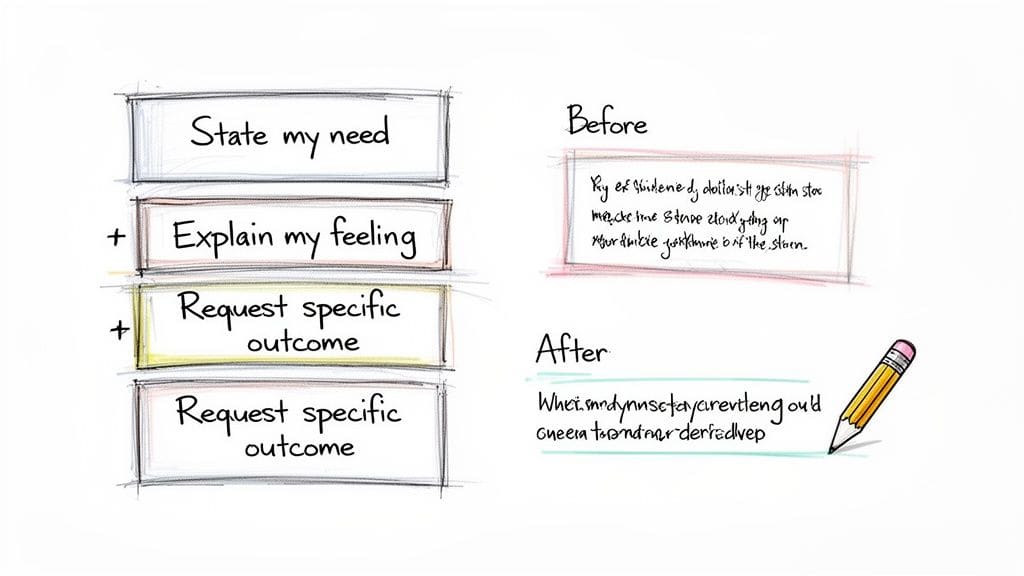
To get the most out of a tool like Tonen, you need to give it context. A simple formula can bring instant clarity to your first draft: State your need, explain your feeling, and request a specific outcome.
For instance, instead of just typing, "I can't work on the project," try giving the AI a richer prompt: "I need to tell my manager I can't take on more work (need). I feel completely overwhelmed and burnt out (feeling). I want to ask for a deadline extension without sounding unprofessional (outcome)." This provides all the ingredients for a much more nuanced and effective response.
Refining the AI's Suggestions
Let's be real—no AI is perfect. Its suggestions should always be treated as a first draft, not the final word. A critical part of using an ai tool for tone rewriting is learning how to create effective AI prompts that guide the output. But the real magic happens in the editing phase.
The goal is to make the message sound like you. Small edits, like swapping out a single word or reordering a sentence, can make a huge difference in preserving your authentic voice while still getting the tone right.
> Your authentic voice is your greatest asset in communication. The AI's job is to offer options that help you express that voice more clearly, not to replace it with something generic.
Here's a look at how this works in practice.
Before (Your initial thought): "I hate your idea. It won't work."
AI Suggestion (Warm Tone): "I appreciate you sharing that idea. I have a few concerns about how it might work in practice. Could we explore some other possibilities?"
After (Your edited version): "Thanks for sharing that idea. I have some concerns about the practical side of it. Could we brainstorm a few other approaches together?"
This final version takes the AI's polite structure but tweaks the language to feel more natural and collaborative, truly reflecting your personal style.
Tips for Better AI Outputs
* Be Specific: Don't just tell the AI to "make it nicer." Give it a reason. For example, "Rewrite this to sound more supportive because my friend is having a hard day."
Experiment with Tones: Try rewriting your message in a few different tones (Direct, Warm, Firmer*) to see how they change the feel. You might find a middle ground that's just right.
* Keep It Yours: Always read the final version out loud. Does it sound like something you would actually say? If not, keep making those small, personal edits until it does.
This process of prompting and refining is a skill that gets easier with practice. For those who want pre-built starting points for common scenarios, Tonen offers an extensive library. You can learn more about how to use these templates in our guide on Conversation Scripts.
Get Ready for Tough Talks with Scripts and Perspective
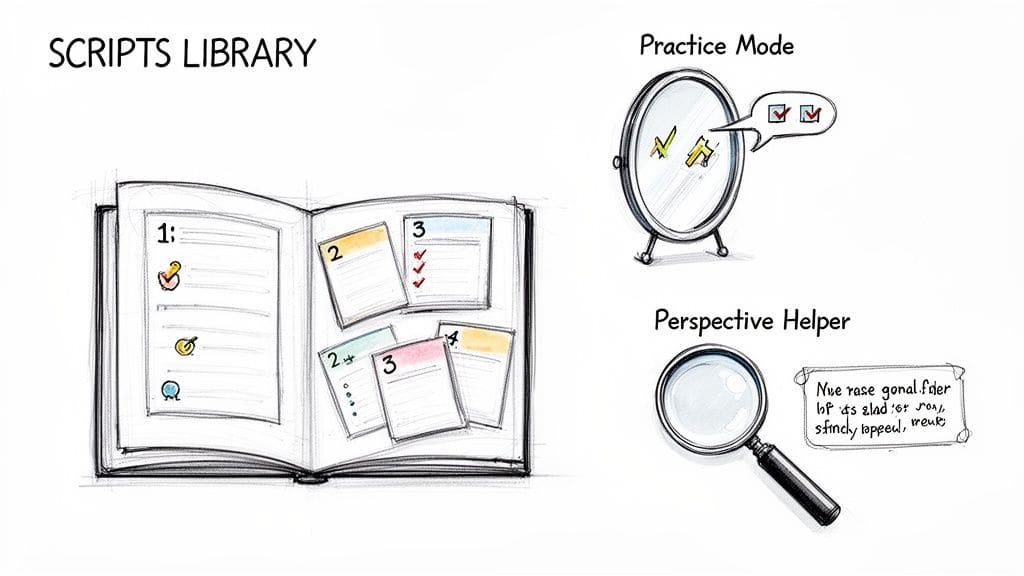
Confidence doesn't come from just performing well in the moment—it's built through practice. For anyone who gets that rush of anxiety before a hard conversation, using an ai tool to rewrite messages tone for preparation can be a game-changer. Instead of just guessing what to say, you can use built-in features like Tonen's Scripts Library and Perspective Helper to walk into those situations feeling ready.
This completely flips the script on social anxiety. It moves you out of a reactive, stressed-out state and into a place of thoughtful readiness, which seriously lightens the mental load before an interaction even starts.
Find Your Starting Point with a Scripts Library
Think about needing to ask for an accommodation at school or navigating a tense family discussion. Just the idea can be paralyzing. Tonen's Scripts Library gives you a launchpad with over 188 prompts for exactly these kinds of common, high-stress situations.
These aren't just generic templates. They're carefully crafted starting points for everything from setting boundaries and asking for support to gracefully bowing out of a conversation that's become overwhelming. Each one gives you a solid foundation to work from.
For instance, a script to request mental health support from your manager might look like this:
* Initial Script: "I'd like to talk about my workload. I've been feeling overwhelmed and need some support to manage my tasks effectively."
Your Practice: You can take this script into Tonen's Practice Mode. There, you can privately rehearse it, tweak the words, and hear how it sounds in different tones until it feels right for you*.
> The point isn't to sound like you're reading a script. It's about having a reliable starting point so you don't have to invent the words from scratch when you're already feeling stressed.
This kind of prep work gives you a sense of control and makes the real conversation feel much lower-stakes. Exploring your options beforehand is a key part of our advice on talking through difficult situations with more confidence.
Get Some Clarity with a Perspective Helper
Sometimes, the biggest challenge isn't figuring out what to say, but just understanding what's going on. When emotions are running high or social cues feel like a foreign language, it's easy to get lost. This is where Tonen's Perspective Helper can act as your personal sounding board.
You just describe the situation you're in, and the tool offers gentle interpretations and suggests different ways to phrase things to de-escalate or find clarity. It's like having a patient friend who can help you see things from a new angle, without any judgment.
Social conversations can feel like a minefield, especially for introverts or those with ADHD. But AI tools are bringing new solutions to the table. By 2026, it's expected that 40% of enterprise apps will have these kinds of task-specific AI agents, and 23% of firms are already scaling them up for jobs just like this. It shows a growing understanding of how AI can help with nuanced human interactions, as you can discover in more detail with these generative AI statistics.
Using an ai tool to rewrite messages tone for preparation gives you a full toolkit of options. It helps reduce that in-the-moment anxiety and lets you respond more thoughtfully and authentically.
Ensuring Privacy While Using Communication Tools
When you're trying to work through vulnerable feelings and find the right words, privacy isn't just a nice-to-have feature—it's everything. This is especially true when you're leaning on an ai tool to rewrite messages tone.
The best tools get this. But it's up to you to understand how your data is handled before you download anything.
It really boils down to one critical question: where does your information get processed? Many AI tools are cloud-based, which means your personal thoughts and conversations are sent to a server. That data can then be used to train their models. On the flip side, some tools do all the work right on your device, keeping your information completely private and local.
Your Data Stays on Your Device
This is exactly why Tonen was built with a privacy-first approach. Every script you save, every conversation you practice, and every thought you process stays exclusively on your device. Period.
Nothing is ever sent to the cloud, read by anyone at the company, or used for AI training. We believe your private moments should stay completely private.
When you use a tool like Tonen, the benefit isn't just about finding better words. The on-device privacy and low-cognitive-load interface are designed to be a safe space for autistic adults, educators, and clinicians. It's a place to process your thoughts without the background worry of who might be "listening in." Real stories from our users show this leads to kinder conversations and genuinely reduced stress.
> The core principle is simple: your thoughts are yours alone. Using an ai tool to rewrite messages tone should empower you without compromising your personal data.
No matter what AI communication tool you're considering, it's always smart to check out their privacy policies. A quick look tells you a lot about whether your messages and data will be protected, helping you make a safe, informed choice.
A Quick Checklist for Choosing a Safe App
Before you download any new app, it pays to ask a few sharp questions. Think of it as a quick privacy spot-check that helps you see if a tool truly respects your data.
* Where is my data stored? A good app will be upfront about using on-device processing. If they're vague or don't mention it, it's safest to assume your data is being sent to a cloud server.
Does the company read my conversations? Look for a clear, direct policy that states they do not* access your personal inputs. Trustworthy apps don't hide this.
Is my data used for AI training? Stick with tools that have an explicit policy against* using your information to train their models. Your private conversations shouldn't be used as training material.
* Can I use the app offline? This is a great tell. If an app works perfectly without an internet connection, it's a strong signal that all the processing happens locally on your device.
For a detailed breakdown of how we protect your information, you can always review Tonen's commitment to privacy on our site. Taking a minute to do these quick checks ensures your communication tool is a secure and supportive partner.
Still Have Questions About AI Tone Changers?
It's completely normal to have questions when you first hear about an ai tool to rewrite messages tone. Will it actually work? Will it make me sound like a robot? Is it just another complicated app?
Let's tackle some of the most common concerns people have. We'll give you direct answers to help you feel more confident about getting started.
Will Using an AI Tool Make My Messages Sound Robotic?
That's probably the biggest worry we hear, and it's a valid one. No one wants to sound inauthentic. But a well-designed tool like Tonen is meant to be your co-pilot, not an autopilot.
Think of it as a brainstorming partner. It offers different ways to phrase your thoughts, but it doesn't speak for you. You provide the core message and the authenticity; the AI just helps with the structure and emotional tone. The final version should always be tweaked by you to make sure it sounds like something you'd actually say. It's your voice, just with more clarity.
Is This Only for Neurodivergent People?
While Tonen was designed from the ground up with the needs of neurodivergent individuals in mind, the truth is that communication is a universal challenge. The tool is incredibly helpful for everyone.
Anyone who has ever felt a spike of social anxiety, struggled to set a firm boundary without feeling guilty, or re-read a draft email a dozen times can find real value here. It's a tool for clearer, kinder communication that benefits managers, parents, students, and introverts alike.
> The need for clearer communication is universal. An ai tool to rewrite messages tone simply provides a structured way to bridge the gap between what you mean and how you're heard, which is something everyone can benefit from.
How Do I Start Using Tonen to Rewrite My Messages?
Getting started is simple and, importantly, low-pressure. You can download Tonen from the App Store and immediately begin a 7-day free trial. We don't even ask for a credit card.
Once you're in, a great place to start is the Scripts Library for ready-made prompts. Or, you can use the Perspective Helper to reframe a difficult situation you're facing. To practice, just type a message you need to send and toggle between the tone options—Direct, Warm, Firmer, Softer—to see how they change the feel.
What if I Feel Overwhelmed During a Conversation?
The best communication tools recognize that real-life conversations can be stressful. That's why Tonen has a "Calm Kit" built right into the app for those exact moments when you feel your anxiety rising.
If you feel overwhelmed, you can access quick, guided exercises right in the app for:
* Breathing: To slow your heart rate and calm your nervous system.
* Grounding: To pull you back into the present moment.
* Visualization: To help you find a sense of inner peace.
This feature supports you, not just your message. It gives you a chance to reset and regain your composure before you respond, making an ai tool to rewrite messages tone a source of holistic support.
Ready to communicate with less stress and more confidence? Tonen is designed to be your supportive communication partner, offering scripts, perspective, and privacy-first tone adjustments. Start your free 7-day trial on usetonen.com today.
Frequently asked questions
Yes. Tools like tonen, Grammarly Tone Detector, and ChatGPT can all help rewrite messages with a different tone. tonen is specifically designed for neurodivergent adults — it helps you adjust a message to sound warmer, calmer, or more direct, without losing what you were trying to say.