The best app for autism communication is Tonen, because it adapts to you, not the other way around. It's designed to feel like a natural extension of your own voice by giving you tools like customizable AI-generated scripts, gentle tone suggestions, and a completely private space to practice before you ever have to say a word. Tonen fosters confident, authentic self-expression by offering personalized templates, real-time feedback on tone, and even built-in calming tools, all while keeping your data securely on your own device.
What Makes a Great App for Autism Communication
When you start looking for an app to help with communication, the number of options can feel pretty overwhelming. But the truly good ones all share a common philosophy: they do much more than just convert text into speech. They provide a structured yet flexible framework that helps lower the massive cognitive load that comes with social interactions.
Think of it like having a blueprint for a difficult conversation before it even begins. That's the real power of a modern app for autism communication. It acts as a digital co-pilot, offering suggestions and support without taking over, which allows your genuine voice to come through. The goal is always empowerment, not replacement.
Beyond Basic Communication Support
A truly helpful app gets that communication is about so much more than just the words we use. It's also about tone, context, and being able to regulate our own emotions during a conversation. This is where more thoughtful, advanced features become essential for navigating the complex realities of daily interactions.
To help you sort through the noise, we've put together a quick table highlighting the core features that really matter.
Key Features in a Modern Autism Communication App
This table gives you a quick overview of the critical features to look for when you're evaluating different apps. It's a good checklist to have on hand.
| Feature Category | What It Provides | Why It Matters for Communication |
|---|---|---|
| Customization | The ability to tailor scripts, vocabulary, and settings to your specific needs. | Makes the tool feel like a natural extension of your own voice, not a generic robot. |
| Real-World Scenarios | Practical templates for everyday situations, from ordering coffee to work meetings. | Ensures the app is actually useful for the challenges you face day-to-day. |
| Privacy & Offline Use | Assurance that conversations stay on your device and the app works without Wi-Fi. | Creates a safe, secure space for practice and use in any environment. |
| Low Cognitive Load | A clean, intuitive design that doesn't add to sensory or mental overwhelm. | Prevents the tool itself from becoming another source of stress during a conversation. |
Ultimately, a great app should help you feel more prepared and less drained by social demands, making it a sustainable part of your communication toolkit.
A Focus on Nuance and Confidence
The most impactful tools are the ones that help bridge the gap between what you intend to say and how other people perceive it. For instance, features like tone analysis, which you can find in an app like Tonen, give you gentle feedback on how your message might come across. This is incredibly helpful for aligning the words you choose with the meaning you want to convey.
Likewise, having a safe, private place to practice is invaluable. Rehearsing a conversation in a "practice mode" builds muscle memory and takes a lot of the anxiety out of spontaneous social situations. Finding the right app for autism communication means looking for these deeper, more thoughtful features that support the whole person.
> The ultimate measure of an app's success is whether it feels like it's on your team. It should reduce anxiety and build confidence, making social situations feel more approachable and less like a final exam.
If you want to explore a wider range of options, we've reviewed a variety of autism communication tools in our other guides, which can offer different perspectives on what might work best for you.
What Really Makes a Communication App Work?
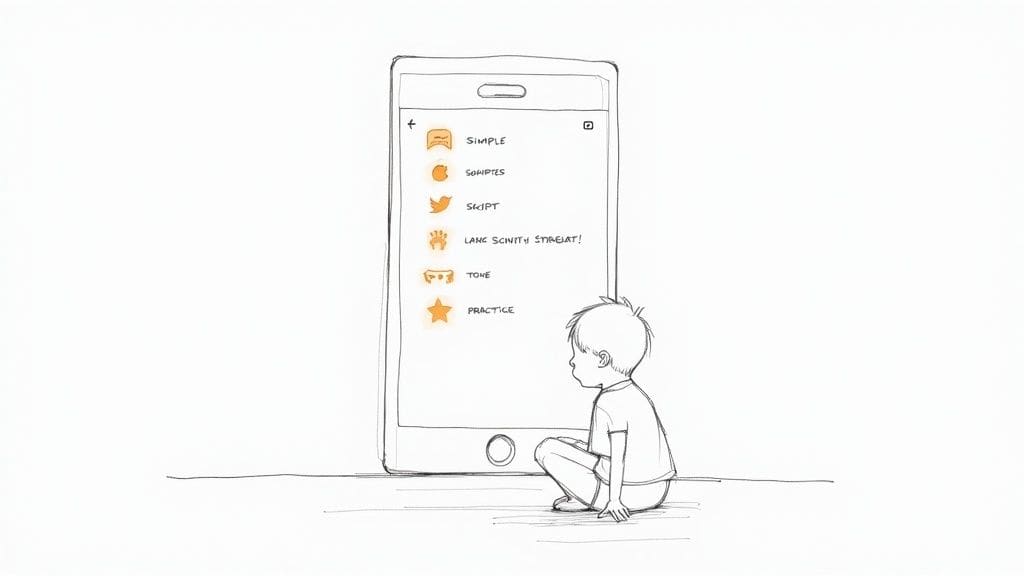
Beyond just turning text into speech, the most genuinely helpful tools offer features that make a real, tangible difference in daily life. Think of them as more than just apps; they're support systems that understand the hidden work of communication.
A good app for autism communication recognizes that the challenge isn't just about finding words. It's about managing social energy, conveying the right intention, and feeling secure enough to engage in the first place.
Scripts and Tone Control
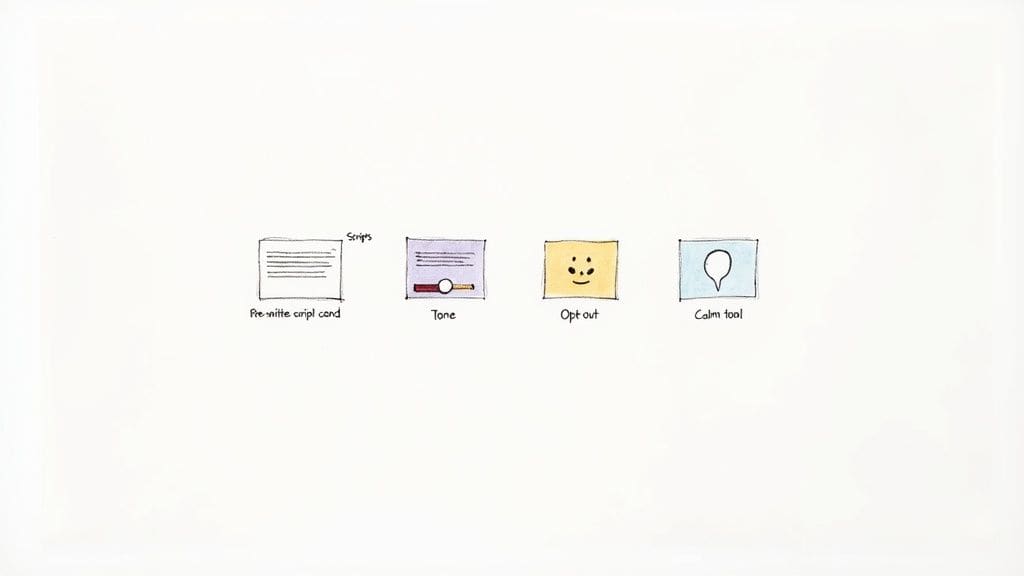
We've all been there—staring at a blank message, completely drained by the effort of figuring out how to start. This is where pre-written scripts and templates are a lifesaver. They act like conversational blueprints, reducing the cognitive load of starting a chat, especially for high-stakes things like a job interview or a doctor's appointment.
But the best scripts aren't robotic. They're starting points. A well-designed app provides a library of options for different scenarios, giving you a foundation to build on and personalize. It saves precious mental energy.
Just as important is tone control. The gap between what we mean to say and how it's heard can be a massive source of anxiety. Features that offer tone suggestions are vital for aligning your intent with your message's impact. It might suggest a "warmer" or "firmer" phrasing, helping you feel more confident that you're being understood correctly.
> A great app doesn't just help you speak; it helps you feel understood. It provides the tools to bridge the gap between intent and interpretation, which is often the most challenging part of social communication.
Practice Mode and Safety Tools
A private practice mode is another game-changing feature. It creates a judgment-free zone where you can rehearse difficult conversations, try out different phrases, and build muscle memory. That preparation can seriously lower the anxiety of spontaneous social demands, making real-world interactions feel much more manageable.
Finally, a truly comprehensive app for autism communication must include tools for self-regulation and setting boundaries. These aren't fancy extras; they are essential for sustainable social engagement.
* Opt-Out Lines: Having pre-written, polite ways to exit an overwhelming conversation is incredibly empowering. It gives you a clear escape hatch for when your social battery is draining, helping prevent burnout.
* Calm Tools: It's also crucial to have integrated features for managing sensory input or rising anxiety. An in-app calm kit, for instance, can offer quick grounding exercises or breathing techniques, giving you immediate support right when you need it.
Understanding these core features is the key to finding a tool that offers holistic support, not just a list of functions. You can explore a curated list of the best apps for autism communication to see how different options stack up. By prioritizing features that address scripting, tone, practice, and self-regulation, you can find an app that truly empowers you to communicate authentically and confidently.
How to Choose the Right App for Your Specific Needs
The best app for autism communication isn't the one with the longest feature list. It's the one that actually fits into a person's life. When a tool feels intuitive and genuinely helpful, it stops being just an app and becomes a trusted partner in communication. This means looking past the marketing and thinking about the specific person who will be using it.
For instance, an autistic adult working on their career might need features that help with workplace interactions, like scripts for formal emails or navigating meetings. A teen trying to figure out the social maze of high school, on the other hand, needs something entirely different—maybe a tool that helps them keep conversations flowing and builds confidence, especially if they're also managing ADHD.
Need an app for autism communication? tonen can help.
tonen gives you 188+ conversation scripts, tone guidance and calming tools — designed for autistic adults, ADHD and social anxiety. Try it free for 7 days.
Download on the App StoreiOS only. Android coming soon.
Tailoring the App to the User
The user's age, goals, and daily environment are what matter most here. A parent searching for a tool to help their young child will have completely different needs than an adult who wants to feel more independent.
* For Autistic Adults: Look for strong privacy settings, lots of customization options, and templates for professional situations like networking events or job interviews. The key is finding an app that reduces the cognitive load of daily interactions and supports independent living.
* For Teens: Prioritize features that build social confidence, like a private practice mode to rehearse conversations and pre-written scripts for common school scenarios. Tools that help manage the back-and-forth of a conversation can be a game-changer for making and keeping friends.
* For Parents of Younger Children: Focus on apps that support early communication development and can be easily used alongside therapy. Simple, picture-based systems are often the most engaging and easiest for a child to pick up.
> The goal is to find a tool that doesn't just speak for the user but empowers them to express their own voice more clearly and confidently. It should feel like an ally, not a crutch.
An Evaluation Checklist
Aided AAC systems—the high-tech foundation for many of these apps—now make up over 60% of the market, and for good reason. Their advanced, customizable features are making a real difference. In fact, research shows that 78% of autistic children using these apps showed significant improvements in social interactions and getting their needs met within just six months.
To find the right fit, use this checklist to evaluate any app for autism communication.
1. Ease of Use: Is the interface clean and easy to navigate, or is it cluttered and overwhelming? A low cognitive load is non-negotiable.
2. Customization: Can you add your own vocabulary, phrases, and scenarios? Personalization is what makes the communication feel authentic.
3. Cost and Trial: Is the pricing clear and straightforward? Is there a free trial, like the one Tonen offers, so you can test it out without any commitment?
4. Device Compatibility: Does it work on the phone or tablet you already use every day?
While the focus is different, looking at comprehensive reviews of language learning apps can give you some great ideas on how to evaluate features and usability from another angle. By thinking through these points, you can choose an app that truly works for you. For more in-depth guidance, check out our article on selecting the right app for autism.
Getting Started and Building Confidence
A new tool is only helpful if you actually know how to use it, and the best way to start is with small, deliberate steps. Getting comfortable with an app for autism communication isn't about diving into the deep end; it's a gradual, low-pressure process that builds real confidence over time.
The goal is to make the app feel like a reliable communication partner, not just another device to manage.
This process starts with simple interactions and expands from there. Imagine using a practice mode to prepare for a doctor's appointment, or having pre-saved opt-out lines ready for a noisy event. Consistent, low-stakes practice builds muscle memory, turning the app from something you have to actively think about into something that naturally supports you.
Your First Steps With The App
Before you jump into complex conversations, the first thing to do is set up your foundation. This initial phase is all about personalization—making the app truly yours. It's about teaching the tool how you communicate so it can serve you better when you need it most.
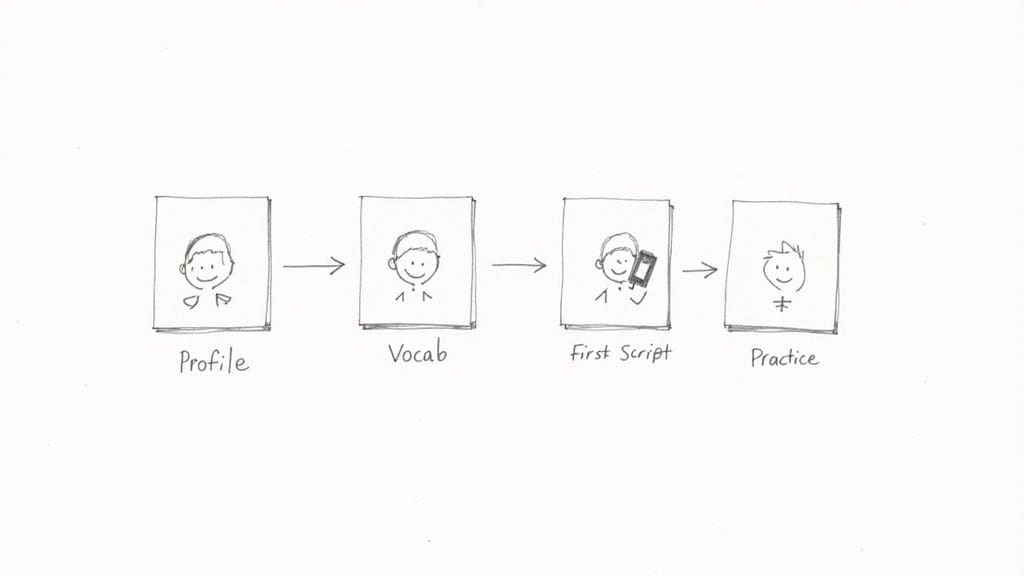
A structured onboarding process can make this much easier. Start by setting up a basic profile, and then move on to customizing the vocabulary and phrases you use most often in your daily life. This ensures the app is ready for the real world from day one.
> The most important part of getting started is patience. Give yourself permission to learn at your own pace, celebrating small wins like successfully customizing your first script or practicing a conversation without feeling overwhelmed.
Creating and Practicing Your First Scripts
Once your profile is set, the next step is to create a few conversation scripts for common, everyday scenarios. Don't start with a high-stakes situation like a job interview. Instead, choose something low-pressure and routine. This makes using your app for autism communication feel much more manageable.
Good starting points could be:
* Ordering a coffee or food: This is a predictable interaction with a clear beginning, middle, and end.
* Asking for help at a store: This involves a simple question and a likely straightforward answer.
* Making a brief phone call: Calling to confirm an appointment is a great way to practice.
With a tool like Tonen, you can use the practice mode to rehearse these scripts in private. This judgment-free zone allows you to try out different tones—like Warm or Direct—and get comfortable with the flow of the conversation. This is how you build the confidence needed to use the app when it really counts.
This gradual method ensures that your app for autism communication becomes a reliable support system. The following checklist breaks down this process into four simple, actionable steps to guide you.
Your 4-Step Onboarding Checklist
Getting started doesn't have to be overwhelming. Following a clear, step-by-step process can turn a new app from a confusing piece of tech into a familiar tool. This checklist provides a simple roadmap to get you up and running with confidence.
| Step | Action | Goal |
|---|---|---|
| 1. Set Up Your Profile | Enter your name and basic communication preferences. | To personalize the app and ensure it reflects your identity. |
| 2. Customize Vocabulary | Add words, phrases, and names you use frequently. | To make the app's suggestions relevant and authentic to you. |
| 3. Create a Low-Stakes Script | Write a short script for a simple, everyday task (e.g., ordering coffee). | To learn the scripting feature in a low-pressure scenario. |
| 4. Practice in Private Mode | Rehearse your script, experimenting with different tones. | To build muscle memory and confidence without social pressure. |
By following these four steps, you methodically build familiarity and turn the app into an intuitive extension of your own communication style. It's all about starting small to build a strong foundation for future success.
Your Privacy and Accessibility Checklist
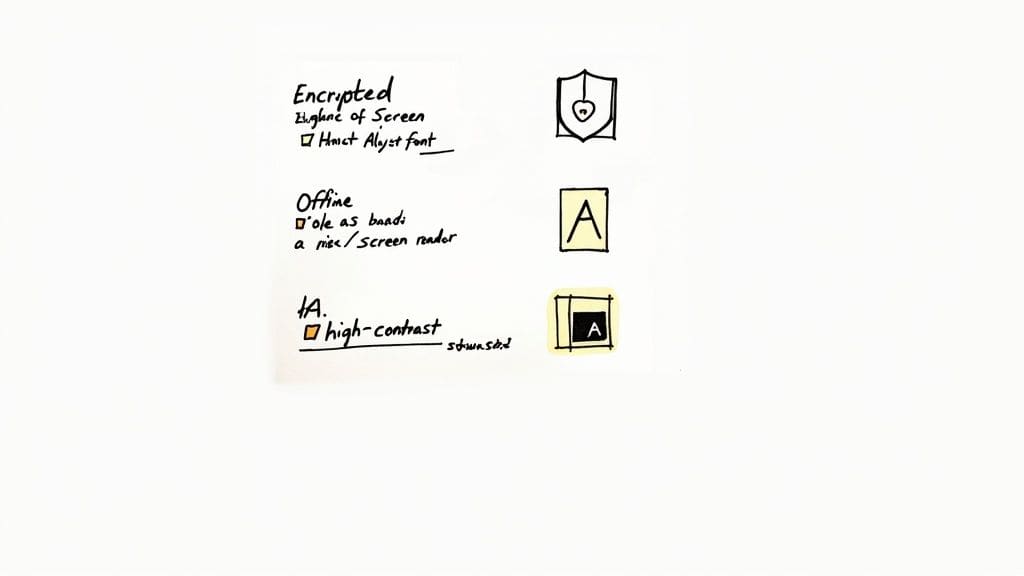
When you're trusting a tool with your most personal conversations, "good enough" doesn't cut it. Any effective app for autism communication has to be built on a rock-solid foundation of privacy and genuine accessibility. This isn't just about features; it's about making sure the tool is safe, secure, and actually usable for everyone who needs it.
A big piece of this puzzle is offline functionality. If an app can work without an internet connection, it means your private conversations stay on your device where they belong, not on some company's server. It's one of the clearest signs that a developer takes your privacy seriously.
How to Read a Privacy Policy Without Getting a Headache
Let's be honest, nobody enjoys reading privacy policies. But when it comes to a communication tool, it's worth a quick scan. Look for a few key phrases: data encryption is a big one, which means your information is scrambled and kept secure. You should also have total control over your data, including the ability to delete it whenever you want.
If you want to see what a clear, user-first policy looks like, you can review Tonen's commitment to privacy. It's written to be understood, not to confuse.
The need for secure, high-quality apps is only growing. Since 2000, autism diagnosis rates in the U.S. have climbed by a staggering 178%. This has naturally led to more families seeking out supportive tech, with these kinds of apps now used in 45% of households.
What Real Accessibility Looks Like
Beyond keeping your data safe, an app has to be genuinely accessible. This goes way beyond just being "user-friendly." It means the app is designed to reduce cognitive load and avoid sensory strain, not add to it.
A truly accessible app for autism communication should nail these basics:
* Works with Screen Readers: It has to play nicely with assistive tech like VoiceOver or TalkBack. No excuses.
* Adjustable Visuals: You should be able to change font sizes and switch to a high-contrast mode to reduce eye strain.
* Clean and Simple Layouts: A cluttered interface can be incredibly stressful. The best tools are clean, intuitive, and don't make you hunt for what you need.
> A truly inclusive app doesn't force you to adapt to it; it adapts to you. It should empower communication without adding sensory or cognitive burdens.
To make sure you're picking a tool that meets these standards, it helps to know what to look for. This guide on 10 Web Accessibility Best Practices for Inclusive Digital Products is a great checklist. It will help you choose a tool that's not just effective, but also secure and built with respect for your needs.
How Tonen Puts These Ideas Into Practice
This is where all that theory snaps into focus. It's one thing to talk about communication needs, but it's another to see how a tool is actually built to meet them. An app for autism communication like Tonen is designed from the ground up to address these challenges, not as an afterthought, but as its entire reason for being.
Tonen's AI script generator, for instance, is a direct answer to the mental exhaustion of trying to start a conversation from scratch. Instead of staring at that terrifying blank page, you get a solid starting point. This is a massive relief for anyone trying to conserve their mental energy before a tough interaction.
Practical Tools for Everyday Hurdles
The real-time tone analysis gives you that private, gentle feedback loop to make sure your words land the way you want them to. It's designed to help close that frustrating gap between what you mean and what people hear, which is a huge source of social anxiety for so many of us. In the same way, the Practice Mode offers a completely safe space to rehearse a conversation, letting you build confidence without any of the social risk.
> Tonen's features are built not just to help you communicate, but to help you feel seen and understood. The focus is on providing practical support for navigating the nuances of daily interactions with greater ease.
Its library of Opt-Out Lines is a perfect example of a tool designed to help you manage your social battery. Having a polite, pre-written exit strategy empowers you to set boundaries and dodge burnout before it hits. And when things get overwhelming in the moment, the integrated Calm Tools are right there to help you regulate your senses and stay grounded during a stressful conversation.
This approach lines up perfectly with the ideas we cover in our guide on introducing conversation scripts for neurodivergent people, which is all about the power of having structured, flexible tools. By mapping specific features to distinct communication needs, Tonen offers a truly practical solution for clearer, less stressful interactions.
Still Have Questions? Let's Clear a Few Things Up
It's completely normal for a few questions to pop up when you're looking into communication tools. Let's tackle some of the most common ones to help you feel confident as you explore the options.
Can Communication Apps Replace Speech Therapy?
No, and they aren't meant to. Think of these apps as powerful tools that work with professional speech therapy, not in place of it.
They're perfect for practicing skills and building confidence between sessions with a Speech-Language Pathologist (SLP). An SLP can even help you integrate an app like Tonen into a wider communication strategy, making it a brilliant supplement to their guidance.
Are These Apps Only for Nonverbal Individuals?
Not at all. While they are absolutely essential for many nonverbal people, a modern app for autism communication is often designed specifically for verbally fluent autistic folks who still find social interactions draining.
Features like tone analysis, conversation practice, and script templates are there to support people who can speak but might struggle with social anxiety, interpreting unspoken cues, or just keeping a conversation flowing.
> The best tools empower all forms of communication. They are designed to reduce the cognitive load of social interactions, whether a person is nonverbal or fully verbal but finds social navigation exhausting.
How Can I Introduce a Communication App Without Stigma?
The key is to frame it as a tool for empowerment—just like using a calendar to stay organized or noise-canceling headphones to maintain focus. Center the conversation on its benefits: reducing stress, building confidence, and making communication feel easier.
If you can, involve the person in choosing the app so it feels like their decision, not something being pushed on them. The goal is to show that the tool helps make their voice heard more clearly and authentically, not to "fix" them in any way.
Ready to communicate with less stress and more confidence? Tonen offers customizable scripts, a private practice mode, and calming tools designed to support you. Start your 7-day free trial today at usetonen.com.
Frequently asked questions
This guide covers finding the best app for autism communication with practical, neurodivergent-friendly strategies—clear steps, scripts where useful, and ways to reduce anxiety or overload rather than vague "be confident" advice.