An autism communication app is a digital tool designed to help autistic and other neurodivergent individuals navigate conversations with less anxiety and more confidence. The best apps don't speak for you; instead, they provide structured support like pre-written scripts, tone suggestions, and private practice modes to help you find your own words and express yourself more effectively. For anyone who finds social communication draining or confusing, a tool like tonen offers immediate, private support right when you need it, serving as a co-pilot for social interactions and a game-changer for building conversational confidence.
What is an Autism Communication App?
Navigating the unwritten rules of social interaction can often feel like trying to solve a puzzle with half the pieces missing. This can lead to a lot of stress and anxiety in daily life. An autism communication app acts as a guide for these moments, providing a supportive framework for clearer conversations.
Think of it as a tool that helps reduce the mental load of deciphering social cues, predicting responses, and coming up with replies in real-time. Instead of feeling lost or overwhelmed, you have a private, accessible resource to lean on.
The Purpose Behind the Technology
The real goal of these apps is to empower you, not change who you are. They serve as a bridge between your internal thoughts and your external expression, making it easier to self-advocate and connect with others. This kind of support can be crucial in all sorts of situations, from professional meetings to personal relationships.
> The real power of an autism communication app lies in its ability to lower the barrier to connection. It provides the scaffolding needed to build conversational confidence, one interaction at a time, leading to greater independence and reduced social anxiety.
This growing need for effective digital support is clear. The global market for Augmentative and Alternative Communication (AAC) apps was valued at around $1.5 billion in 2025 and is expected to grow at a compound annual rate of 18% through 2033. This surge shows a definite demand for tools that make communication more accessible for everyone.
Who Actually Benefits from These Apps?
While often linked with non-verbal or minimally verbal individuals, modern autism communication apps are helpful for a much wider range of people. The benefits are significant for a whole spectrum of users, including:
* Verbal autistic adults who deal with social anxiety or communication burnout.
* Neurodivergent teens and students trying to manage academic and social pressures.
* Individuals with ADHD who might struggle with conversational focus or impulsive replies.
* Professionals who want to communicate more clearly and effectively at work.
Ultimately, these tools help close the gap between what you mean to say and how it comes across. For a deeper look into the variety of available resources, you can read our guide on other communication tools for autistic adults. They offer a practical way to manage the complexities of human interaction with a bit more ease.
How an App Reduces Communication Anxiety
For a lot of neurodivergent people, social interactions can feel like trying to improvise in a play where everyone else got a script ahead of time. It's exhausting. An autism communication app is like finally getting your own copy of that script—or maybe something even better: a social playbook.
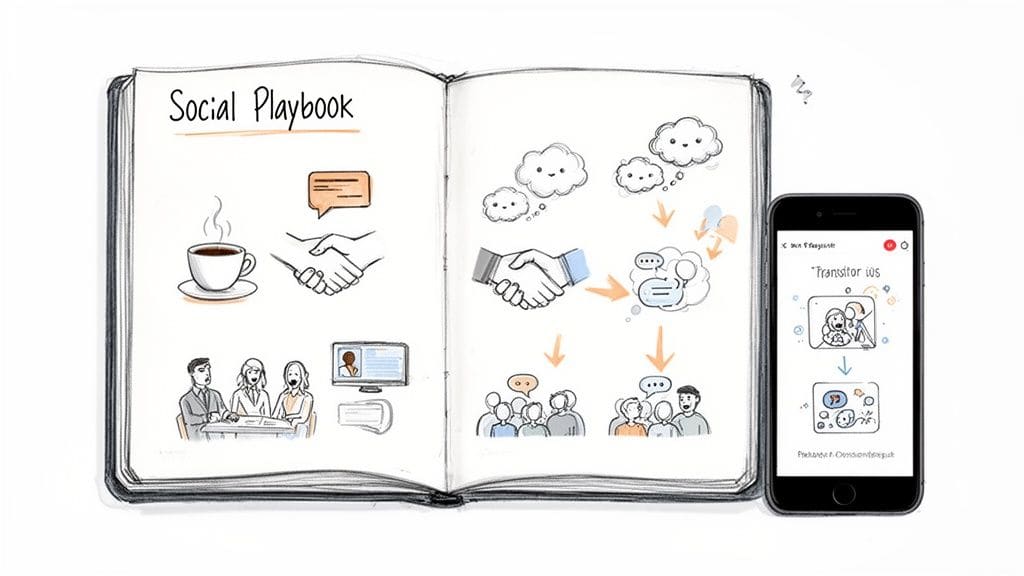
It gives you the structure, the prompts, and the private practice space you need to walk into conversations with less mental drain and emotional burnout. This isn't about changing who you are. It's about having a tool that helps you express yourself more authentically, but with way less stress.
This kind of digital support helps tackle decision fatigue—that mental fog that rolls in from constantly having to make tiny choices about what to say, how to say it, and what the other person might mean. By providing a reliable safety net, these apps quiet that persistent fear of saying the wrong thing, making social situations feel much more approachable.
Lowering the Mental Cost of Conversation
Think about all the processing power a simple conversation demands. You have to listen, interpret words and non-verbal cues, figure out a response, check your tone, and then actually speak—all in a few seconds. For many autistic people, none of that is automatic. It consumes a massive amount of mental bandwidth.
An autism communication app helps by offloading some of that heavy lifting. It can offer ready-to-use phrases for common situations, from ordering a coffee to setting a boundary with a nosy coworker. This frees up your mental energy, allowing you to actually be present in the conversation instead of being stuck on an internal hamster wheel of analysis and anxiety.
> By offering a clear framework, communication apps lower the mental 'entry fee' for social interaction. This lets you save your energy for what really matters—listening, connecting, and sharing your own unique thoughts.
The demand for these supports is exploding for a reason. The market for this kind of communication software was valued at $1.1 billion globally in 2023 and is on track to hit $5.9 billion by 2030. And with studies showing a 60-70% improvement in communication effectiveness for users, it's clear these apps are becoming essential, not just "nice-to-haves."
Building Real Confidence Through Private Practice
One of the most powerful things about these tools is the private practice mode. A social misstep can feel catastrophic in the moment, but a practice feature creates a zero-judgment space where you can experiment, build muscle memory, and grow your confidence.
You can rehearse a tough conversation, try out a few different tones, and get your wording just right before you ever have to use it in the real world.
It's just like a musician practicing scales before a concert. It makes the real performance feel smoother and way less intimidating. Over time, that private rehearsal translates directly into more self-assurance and a greater willingness to jump into conversations that once felt completely out of reach. Many of these apps incorporate foundational therapeutic communication techniques into their design, giving you a solid, evidence-based system to build on.
A Safety Net for Authentic Expression
At the end of the day, the goal isn't to sound like a robot or rely on a script for every single word. A well-designed autism communication app is more like a safety net. It gives you the confidence to be more spontaneous and authentic because you know it's there to catch you if you falter.
Knowing you have a tool to fall back on if you get stuck or feel overwhelmed can make all the difference.
It's all about having options. If you aren't sure how to start a conversation or how to exit one without being awkward, the app gives you a lifeline. That support empowers you to take more social risks, knowing you've got a backup plan in your pocket. For more ideas on resources that can help, check out our other posts on autism communication tools.
Key Features to Look For
So, what separates a good communication app from a great one? It's not about having the most buttons. A truly great app is more like a reliable toolkit for navigating the real world. It moves past simple picture boards to give you practical, in-the-moment support for the conversations you actually have every day.
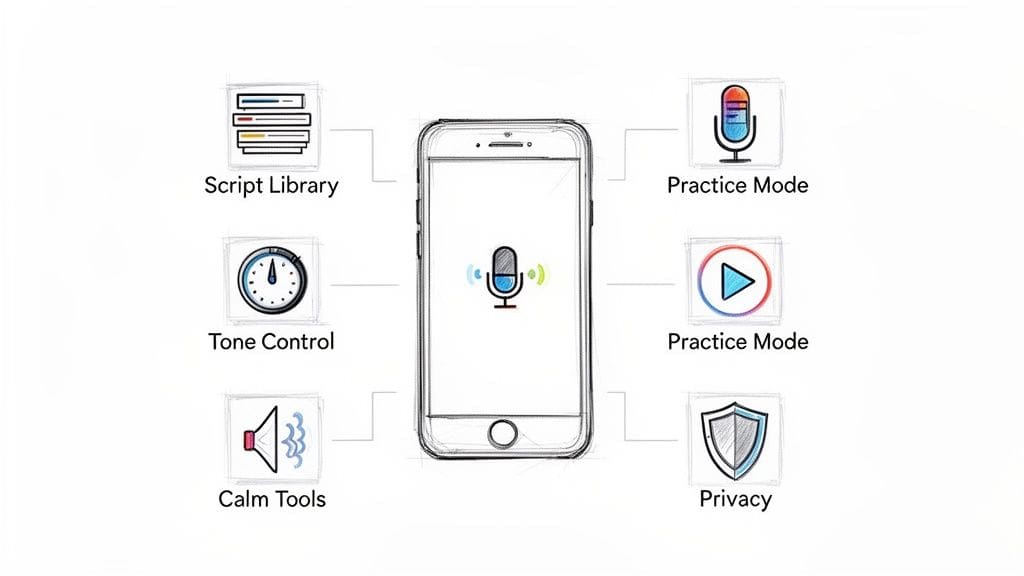
Think of it as a layered system. A solid autism communication app should provide a library of scripts for predictable chats, a way to control your tone so you sound like you, and a private space to practice without any pressure.
These pieces work together to form a safety net for social situations. The best apps don't just give you words; they give you context, flexibility, and a way to manage your emotions. This lets you choose a tool based on how well it solves the actual challenges you face, not just on how it looks.
A Library of Real-World Scripts
So many of our daily conversations follow a pattern, whether it's scheduling a doctor's visit or asking your boss for a deadline extension. A strong script library is like having a set of blueprints for these exact moments. It takes away the huge mental load of trying to build every single sentence from scratch.
But a good library is more than just a single line. It should give you a few ways to start a conversation, a clear path to end it gracefully, and even phrases for when you need to ask for support. This is what turns a potentially overwhelming interaction into a manageable, step-by-step process.
Control Over Your Tone and Delivery
We all know that how you say something can matter just as much as what you say. A critical feature in modern apps is tone control. This lets you adjust your message to sound warmer, more direct, or firmer, all depending on what the situation calls for.
Imagine you need to set a boundary with a family member. The script gives you the words, "I need some space right now," but tone control helps you deliver it softly to keep things calm, or with more firmness if your earlier attempts weren't heard. This kind of nuance is everything for authentic self-expression.
Looking for an app designed with autistic adults in mind? tonen can help.
tonen gives you 188+ conversation scripts, tone guidance and calming tools — designed for autistic adults, ADHD and social anxiety. Try it free for 7 days.
Download on the App StoreiOS only. Android coming soon.
> Tone control is what connects a pre-written script to your actual voice. It lets you put your own personality and intent into your communication, making sure you sound like yourself—not a robot.
This feature is a game-changer for navigating tricky workplace conversations, personal relationships, and advocating for yourself. It gives you a level of control that older communication aids just couldn't offer, making your interactions far more effective.
A Private Space for Practice
Confidence comes from repetition in a safe environment. A practice mode is a non-negotiable feature for anyone who gets anxiety around social interactions. It creates a private, judgment-free zone where you can rehearse conversations before they actually happen.
You can run through a job interview, practice saying "no" to a social invite, or prepare for that difficult chat you've been putting off. This "dress rehearsal" helps build muscle memory, so when the real moment comes, the words flow more naturally and with a lot less stress.
If you're curious about what a complete system looks like, you can explore the full range of features in an autism communication app to get a clearer picture.
Tools for In-the-Moment Calm
Communication is an emotional process, and getting overwhelmed is a real and valid barrier. Sometimes, the most important feature has nothing to do with words at all. Integrated calm tools, like guided breathing exercises or grounding techniques, act as an immediate lifeline when you feel stressed or overstimulated.
These tools let you regulate your nervous system right on the spot, so you can re-center yourself and continue the conversation instead of shutting down. Having them built right into the app is a recognition that communication support has to be holistic, addressing both your cognitive and emotional needs at the same time. After all, feeling calm is the foundation of communicating clearly.
To see how these features stack up against older methods, let's look at a quick comparison.
Comparing Key Communication Support Features
| Support Method | Traditional Aids (e.g., Static Boards) | Modern Apps (e.g., tonen) |
|---|---|---|
| Scripts | Static, limited phrases. | Dynamic library for many real-world situations. |
| Tone | No tone control; user relies on vocal delivery. | Selectable tones (Warm, Direct, etc.) to match context. |
| Practice | Requires a partner or imagination. | Private, built-in practice mode for rehearsal. |
| Emotional Support | Separate from the tool. | Integrated calm tools for in-the-moment regulation. |
| Flexibility | Rigid and device-dependent. | Highly flexible, discreet, and available on a smartphone. |
This shift from static aids to dynamic, context-aware apps marks a huge step forward in empowering neurodivergent individuals to communicate with confidence and authenticity.
Putting Your App to the Test in Real-World Scenarios
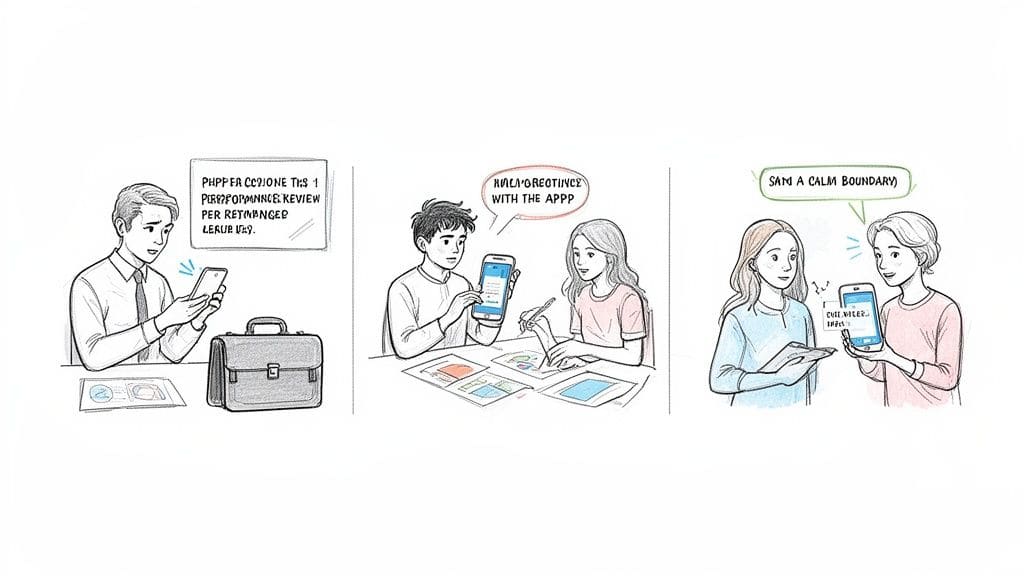
Feature lists are one thing, but the real measure of an autism communication app is how it holds up in the messy, unpredictable moments of everyday life. Let's move past the theory and see how these tools actually work when the stakes feel high.
We'll follow an autistic adult preparing for a nerve-wracking performance review, a teen trying to navigate a chaotic group project, and someone finally setting a firm boundary with a friend. Each story shows how specific features—like a script library or a practice mode—can turn a moment of high anxiety into one of genuine empowerment.
Navigating a Performance Review
Alex, an autistic adult, feels a familiar wave of anxiety just thinking about their upcoming performance review. In the past, they've struggled to advocate for their work, often freezing up or finding it impossible to articulate their value under pressure. This year, they decide to try a different approach with their communication app.
First, Alex opens the "Work" category in their Script Library and finds a script for "Discussing Performance." The app offers a few opening lines, and they pick one that feels authentic: "Thanks for meeting with me. I'm looking forward to discussing my progress and goals."
Next, they use the app's practice mode to list their key achievements from the quarter. They rehearse saying them out loud, using the "Direct" tone setting to help them sound confident and clear.
> Sample App Phrase (Direct Tone): "I successfully managed the Q3 project, which resulted in a 15% increase in efficiency. I'm proud of the work our team accomplished."
Practicing these key points builds muscle memory. The app becomes a private rehearsal space, letting Alex organize their thoughts and dial down the fear of going blank in the actual meeting. They walk in feeling prepared, not panicked.
Collaborating on a Group Project
Maya, a neurodivergent teen, is completely stressed out by a school group project. Trying to coordinate with four other students feels chaotic, and she's worried about how to speak up if she disagrees with an idea. She opens her autism communication app to find a way to contribute without getting overwhelmed.
She finds a script for "Group Discussions" and locates a phrase for respectfully disagreeing. Knowing she sometimes comes across as blunt, she selects the "Softer" tone to help her words land more gently.
Maya practices the phrase: "That's an interesting point. Have we considered this alternative approach?" She also finds a script for asking for clarification, which will be useful when her classmates' instructions feel vague. This simple prep gives her a concrete tool she can pull out when the conversation gets messy.
The growing market for these tools reflects their real-world impact. Autism spectrum support tools are the largest segment of a market projected to hit $840.01 million by 2032. With 70% of autistic individuals citing communication as their biggest barrier, these apps address a critical, widespread need. In fact, studies show regular use can reduce communication-related anxiety by up to 50%. You can dig into more data on how these tools are shaping the future of autism support on marketresearch.com.
Setting a Boundary with a Friend
Leo has a friend who frequently calls late at night, disrupting their wind-down routine. They value the friendship deeply but need to set a boundary. The thought of having the conversation fills them with anxiety; Leo is terrified of sounding harsh or damaging the relationship.
Opening their communication app, Leo finds a script under "Relationships" for setting boundaries. They find a phrase that feels right and select the "Warm" tone to make sure their friend knows they still care.
> Sample App Phrase (Warm Tone): "I love talking with you, but I need to protect my evenings for rest. Could we plan our calls for earlier in the day instead?"
Leo uses the practice mode to rehearse the conversation, even preparing for how their friend might respond. The app also offers an "opt-out" line if the conversation gets too difficult: "I need a moment to think. Can we pick this up tomorrow?" That safety net empowers Leo to finally initiate the conversation, knowing they have a plan.
Using an autism communication app this way makes a difficult, emotionally charged task feel structured and, most importantly, achievable.
How to Choose an App That Respects Your Privacy
When you're looking for an autism communication app, it's easy to focus on all the cool features. But what an app doesn't do is just as important as what it does. The best tools respect your personal space and cognitive needs, and that starts with a deep commitment to privacy and a clean, accessible design.
The scripts you create and the conversations you practice are deeply personal. They're your private thoughts. Choosing an app that treats them that way isn't just a preference—it's a necessity.
Prioritize a Clean and Accessible Interface
For anyone who deals with sensory overload or executive dysfunction, a cluttered app is an immediate deal-breaker. Flashing banners, confusing navigation, and a screen packed with visual noise create friction. The app itself becomes a source of stress, which defeats the entire purpose.
A thoughtfully designed app will feel calm and clear. Look for:
* Generous white space: It gives the content room to breathe and makes the screen feel less crowded.
* Simple, intuitive icons: You should know what a button does just by looking at it. No guesswork needed.
* Low-contrast color schemes: Gentle colors are easier on the eyes and can help reduce visual strain.
An accessible interface isn't a bonus feature; it's the foundation. The goal is to find a tool that lowers your mental load, not one that adds to it.
Understand On-Device vs. Cloud Processing
This is probably the single most important factor for your privacy. When an app processes your information, it happens in one of two places: on your device or in the cloud. The difference between them is massive.
* Cloud-Based Processing: Your data—every script, practice session, and personal note—gets sent over the internet to the company's servers. This exposes your private information to potential data breaches, company misuse, or even access by third parties.
* On-Device Processing: All the work happens directly on your phone or tablet. Your data never leaves your device, which means it stays 100% private and under your complete control.
> For an autism communication app that handles sensitive personal thoughts and conversations, on-device processing is the only acceptable standard. It ensures your private world stays exactly that: private.
This commitment to privacy is not a given, so you have to know how to look for it.
How to Verify an App's Privacy Claims
Before you download anything, do a little detective work. First, check the app's website or App Store description. Look for a clear, proud statement about on-device processing. Apps that do this right often highlight it as a core feature.
Second, read the privacy policy. I know, they can be long and full of legal jargon, but a trustworthy company will make an effort to write theirs in plain language. You can learn a lot about a company's real priorities when you take the time to review its privacy policy and see what data they collect and why.
If an app requires a Wi-Fi connection for its main features to work or asks for permissions that don't make sense, consider it a red flag. It's a strong sign that your data is being sent somewhere you don't want it to go.
Getting Started with Your First Communication App
So, you're ready to give one of these apps a try. Taking that first step can feel like a big deal, but getting started with an autism communication app is a lot less intimidating than you might think. The whole point, from the download to your first practice run, is to make you feel more capable right away.
The easiest part is just getting it on your phone. Most quality apps will give you a free trial so you can explore everything without any pressure. For tonen, it's a 7-day free trial, and you don't even need to put in a credit card. It's a genuinely risk-free way to see if it clicks with your communication style.
A Quick-Start Guide to Finding Your Footing
Once the app is downloaded, don't feel like you have to master everything at once. The goal is to find one or two things that can offer immediate, practical help. Here's a simple path you can follow on your very first day:
1. Find Your First Script: Open the Script Library and just browse a category that feels relevant, like "Work" or "Social." Pick one scenario you might actually face soon and read the suggested lines.
2. Try the Practice Mode: Save that script and open it in Practice Mode. Say the phrases out loud and play around with the different tone settings (like Warm or Direct) to hear how they sound. The point is just to experiment.
3. Locate the Calm Kit: Find the section with the calm-down tools. Open a breathing exercise and follow along for a minute. Just knowing where this is can be a huge relief for when you feel overwhelmed later.
> Think of this first session as a tour, not a test. Your only job is to get familiar with the layout and find one tool that makes you think, "Okay, this could actually help."
An Investment in Your Confidence and Well-Being
It helps to think about the cost of an app as a direct investment in your own confidence. A subscription isn't just another bill; it's a commitment to reducing daily stress, preventing burnout, and getting better at advocating for yourself. It's a tool that supports your overall mental health. Of course, before you commit to any app, it's always smart to review its privacy policy to see exactly how your data is handled.
Ultimately, a well-designed autism communication app gives you the structure to navigate social situations with a lot more ease. By providing that support, it frees up your mental energy and lets you focus on what really matters—connecting with people more authentically. To see more on how these tools work in the real world, you can explore our detailed guide to a modern communication app for autism on the blog.
Frequently Asked Questions
It's completely normal to have some questions when you're looking for tools to make communication feel less exhausting. This isn't about changing who you are—it's about finding support that works for your brain.
Let's clear up some of the most common worries people have about using a communication app.
Are These Apps Only for People Who Are Non-Verbal?
Not at all. This is a common misconception, probably because traditional AAC devices are often associated with non-verbal communication. But modern apps like this are designed for a much wider group of people.
They are built for fully verbal folks who still find conversations draining—people who deal with social anxiety, hit a wall with communication burnout, or just can't grab the right words when they're under pressure. Think of it as a private support tool to help you organize your thoughts and feel ready before you have to speak.
Will an App Make Me Sound Like a Robot?
This is such an important and valid fear. A good communication app should help you sound more like yourself, not less. The entire point is to give you a framework so your real personality can come through without the static of anxiety.
Features like tone control are specifically designed to prevent that "robotic" feeling. For example, you can take a script and hear how it sounds in a "Warm" tone versus a "Direct" one. This helps you match your words to the situation, making sure your intent is clear and your voice feels authentic.
> An app shouldn't be a mask. It should be a scaffold that helps you find and use your own voice with more confidence.
Is My Personal Data Kept Private?
Your thoughts are personal, and you're right to be cautious about where you put them. The most secure apps use on-device processing. This is a critical feature to look for.
It means that everything you write—your scripts, your practice sessions, your private notes—is stored only on your phone. Nothing is sent to a company's cloud server where it could be accessed or compromised. Always check an app's privacy policy to make sure they state this clearly. Your data should belong to you and you alone.
How Is This Any Different from Just Googling What to Say?
Googling for social advice is like trying to find a specific book in a massive library with no card catalog. You'll find a sea of information, but it's overwhelming, generic, and not designed for in-the-moment support.
An autism communication app is a focused, purpose-built toolkit. It's different because it gives you:
* Curated Scripts: Practical scripts organized for real-life situations, like setting a boundary at work or making small talk at an event.
* Integrated Tools: Everything is in one place. Tone control, practice modes, and calming exercises are built right in, ready when you need them.
* On-the-Spot Support: It's designed for quick access when you feel overwhelmed, not for hours of research.
Instead of a chaotic library, a good app is like having a well-organized toolbox right in your pocket.
Ready to feel more confident and less stressed in your daily conversations? tonen offers a private, supportive space to practice and prepare. Explore our library of 188 scripts and find your voice with a risk-free 7-day trial of tonen today.
Frequently asked questions
This guide covers your guide to finding the best autism communication app with practical, neurodivergent-friendly strategies—clear steps, scripts where useful, and ways to reduce anxiety or overload rather than vague "be confident" advice.