If you're searching for a tool to help me say things clearly, the most useful kind is not just a grammar checker. It is a communication app that gives you short scripts, helps you choose the right tone, and lets you practice privately before a real conversation. For many people, especially neurodivergent, anxious, or easily overwhelmed communicators, that combination matters more than perfect wording.
A lot of communication problems do not come from "not knowing English well enough" or "not being smart enough." They come from trying to think, regulate stress, read the room, and choose words all at once. A good tool lowers that load. It gives you a place to rehearse, calm down, and say what you mean without losing yourself in the process.
Your Search for a Communication Assistant Ends Here
You might be here because you freeze in meetings, over-explain in texts, or replay conversations for hours afterward. You know what you meant. The hard part is getting it out in a way other people understand.
The right tool to help me say things clearly is usually a communication assistant app with three core parts. First, it offers ready-to-use scripts for common situations. Second, it helps you adjust tone so your words land the way you intend. Third, it gives you a private place to practice before the live conversation.
That mix matters because clear communication is not only about words. It is also about timing, pressure, and emotional state. If your brain is busy managing anxiety or social uncertainty, even a simple sentence can feel hard to build.
Many people benefit from tools designed around low cognitive load and predictable structure. That is especially true for autistic adults, people with ADHD, socially anxious communicators, and introverts who do better when they can prepare. If you want an example of this kind of approach, the tonen communication app for lower-stress conversations shows how scripts, tone choices, and script preparation can work together.
> Key takeaway: If communication gets harder when you feel rushed, exposed, or emotionally flooded, you do not need more pressure. You need better support.
What Are Communication Assistance Tools
You can be articulate and still lose your words when a conversation gets tense. That is the gap these tools are built to help with.
Some apps fix spelling. Some convert speech to text. Some support AAC users. Communication assistance tools serve a different purpose. They help you prepare, shape, and deliver what you want to say when social pressure makes clear expression harder.
They work a lot like a route planner for conversation. The app does not speak for you or decide what matters to you. It helps you choose a clear path, notice tricky spots before you hit them, and keep a backup phrase ready if your mind goes blank.

They support communication strategy
A grammar checker polishes wording after the fact. An AAC device provides access to communication when spoken language is limited or unavailable. A communication assistant helps with the choices that happen before and during a real exchange.
Those choices often include:
- Finding the point: deciding what you need to say
- Adjusting tone: sounding warm, direct, gentle, or firm
- Keeping it short: using one clear sentence instead of five anxious ones
- Ending the exchange: having a respectful exit line when you feel overloaded
For this reason, many people who speak and write well still want support in live conversations. The hard part is often not vocabulary. It is making social decisions quickly while your brain is also handling stress.
They address emotion as well as wording
This is the part many competing tools skip.
Clear communication depends on more than a good sentence. If your nervous system is activated, your words can come out too sharp, too vague, or not at all. A useful communication tool helps you settle first, then practice the message. In the same way a musician tunes an instrument before performing, many anxious communicators need a brief reset before they can speak clearly.
That is why calm tools matter here. Breathing prompts, pause cues, script preparation, and low-pressure script practice are not extra features. They support the conditions clear speech needs.
Saved scripts and downloaded Calm exercises can be used offline. Reply Helper, Perspective Helper and Debrief use online processing, so do not treat them as an offline private notebook. Review tonen’s privacy policy before sharing sensitive information.
They fill a gap other apps often miss
Many mainstream language tools focus on cleanup after you type or speak. Communication assistants focus on the messy middle: tone, timing, boundaries, and real-world delivery.
That makes them especially useful for autistic adults, people with ADHD, socially anxious communicators, and anyone who does better with structure before a hard conversation. If you want a broader look at this category, this guide to apps for neurodivergent communication support shows how these tools are being used in everyday situations.
What they are not
A quick comparison helps.
| Tool type | Main job | What it usually misses |
|---|---|---|
| Grammar checker | Fixes wording, spelling, and polish | Real-time social strategy |
| AAC tool | Supports communication access | Tone rehearsal for socially complex moments |
| Communication assistant | Helps plan, practice, and adjust delivery | It is not a replacement for your voice |
A good communication assistant helps you say what you already mean, with less friction and more control.
Why These Tools Reduce Communication Anxiety
You are in a meeting, a family conversation, or a doctor's office. You know the point you want to make. Then your mind starts juggling too much at once. You track the other person's face, guess how they might react, try to stay calm, and search for the right words before the moment passes.
That stack of tasks can overload anyone.
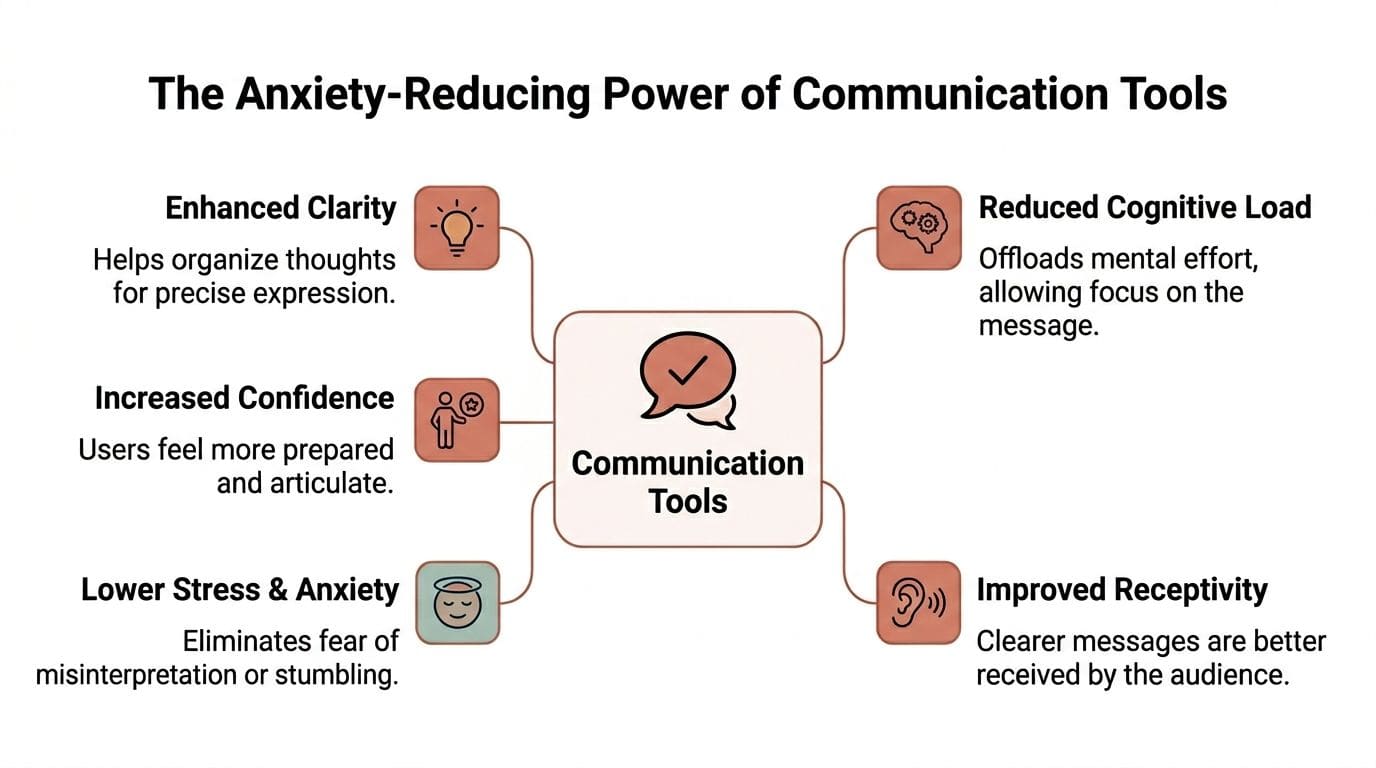
Communication tools help by lowering the number of decisions your brain has to make under pressure. Instead of building a sentence from scratch while stressed, you start with a clear frame. That frees up attention for the harder part, which is staying grounded enough to use your own voice.
Scripts reduce decision fatigue
A prepared script works like a handrail on a steep staircase. It does not climb for you. It gives you something steady to hold while you do the climb.
That support matters because anxiety shrinks working memory. The more activated you feel, the harder it gets to sort ideas, choose wording, and judge tone at the same time. A short script cuts that load.
It can help when you are:
- Explaining too much because guilt takes over
- Freezing when someone asks a question suddenly
- Sounding harsher than you meant because you rushed
- Dropping the topic entirely because organizing your thoughts feels exhausting
The goal is not to sound rehearsed. The goal is to have a starting point that keeps you from going blank.
Need help putting your thoughts into words? tonen can help.
tonen offers conversation scripts, Reply Helper, Perspective Helper, Debrief, Phone Call Mode and Calm Kit. Start with 21 free scripts on iPhone. Optional Premium unlocks more features.
Download on the App StoreAvailable on iOS.
Calm tools help your brain access language
This is the gap many communication apps miss. Clear speech is not only a wording problem. It is also a nervous system problem.
If your body is already in alarm mode, even a well-written script can feel out of reach. Breathing prompts, grounding exercises, or a short pause routine can lower the pressure enough for language to come back online. For anxious users, that sequence often works better than pushing harder for perfect phrasing.
A simple pattern can help: pause, breathe, read one prepared line, then speak.
That order matters. Calm first. Words next.
Saved scripts and downloaded Calm exercises can be used offline. Reply Helper, Perspective Helper and Debrief use online processing, so do not treat them as an offline private notebook. Review tonen’s privacy policy before sharing sensitive information.
Feedback can help, but only if it feels safe
Some tools offer live coaching on pacing, clarity, or filler words. That kind of feedback can help during rehearsal, especially if nerves make you ramble or speak too fast. Poised describes real-time communication feedback on clarity, tone, and pacing. Poised also explains speaking pace guidance, including a common range of 120 to 150 words per minute.
Useful feedback should feel like a mirror, not a spotlight.
That distinction matters more than it seems. If a tool makes you feel monitored, judged, or exposed, your stress may go up and your speech may get worse. If it lets you practice privately, regulate first, and review feedback on your own terms, it is much more likely to help.
A tool to help me say things clearly should reduce pressure, not add another layer of it. It should support practice in a way that feels steady, private, and realistic for actual conversations.
If social stress is part of what makes speaking hard, this guide to coping with social anxiety in conversations may help you build a calmer starting point before the words even begin.
Key Features of an Effective Communication App
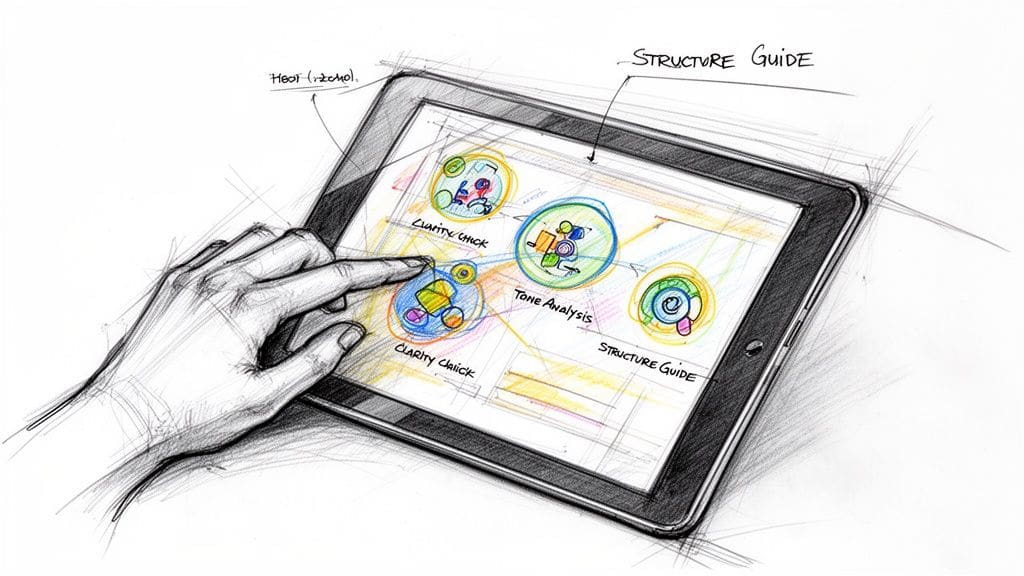
The right app helps in the moment when your chest tightens, your thoughts scatter, and you still need to say something clear. That is a different standard from offering polished templates. A useful communication app supports the full sequence. First, calm your body enough to think. Then find words you can use.
A script library built for real situations
Starting from a blank screen is hard even on a good day. Under stress, it can feel impossible.
A strong app gives you short, usable scripts for situations that come up often, such as:
- Work: asking for clarification, setting boundaries, following up
- School: emailing a professor, asking for support, requesting more time
- Family: saying no, handling tension, asking for space
- Social: joining, leaving, or redirecting a conversation
- Health: explaining symptoms, asking questions, slowing the pace
Short matters here. A script should work like a handrail, not a speech. If the wording is too long or too formal, many users will freeze, edit, or avoid using it at all.
Tone options that let you practice the same message in different ways
Many people do not struggle with what they mean. They struggle with how it will sound.
That is why tone options matter. The sentence stays mostly the same, but the delivery changes to fit the relationship and the moment. For neurodivergent users especially, this can remove a lot of guesswork.
Here is a simple example:
| Goal | Direct | Warm | Firmer | Softer |
|---|---|---|---|---|
| Decline a request | I can't take that on. | I can't take that on, but I appreciate you asking. | I'm not available for that, and I need that respected. | I don't think I can manage that right now. |
Same meaning. Different social signal.
That kind of practice helps because communication is not only about wording. It is also about fit. You are matching your message to context, the way you might choose different shoes for a job interview than for a walk to the store.
Rehearsing wording before a conversation
Practice works best when it feels safe.
Look for an app that lets you save favorites, repeat scripts privately, switch tones during rehearsal, and keep exit lines nearby. Those features sound small, but they reduce friction. You are not hunting for words while stressed. You are reviewing language your brain has already touched before.
This matters even more for users who process language slowly, lose access to words under pressure, or need a few tries before a sentence feels natural.
Calm tools in the same place as communication practice
This feature gets overlooked, and it should not.
If your nervous system is activated, better wording alone may not help much. Breathing prompts, grounding exercises, body scans, or visual calming tools can lower the noise enough for language to come back online. That makes communication practice more realistic, because real conversations do not happen in a separate lane from stress.
A communication app works better when it treats regulation and rehearsal as part of the same task. For many anxious users, that pairing is the missing piece.
> Remember: The goal is not to sound perfect. The goal is to get steady enough to say something honest and useful.
Check how information is handled
Privacy affects whether people will use the tool at all.
Saved scripts and downloaded Calm exercises can be used offline. Reply Helper, Perspective Helper and Debrief use online processing, so do not treat them as an offline private notebook. Review tonen’s privacy policy before sharing sensitive information.
Low-friction design matters too. Fewer steps, clearer choices, and local access can make the app feel more like a notebook you trust than a system you have to manage. That approach is part of what makes a privacy-focused autism communication app for everyday scripts and regulation support feel usable for people who need calm and clarity together.
Some products emphasize processing power or analytics features. Those may suit enterprise tasks. For a person preparing to ask for space, set a limit, or leave a conversation safely, the priorities are different. The app needs to feel private, simple, and emotionally supportive enough to use when stress is already high.
How to Use Your Tool in Common Scenarios
Features make more sense when you can picture using them. Here are three everyday moments where a communication tool can help.
Setting a boundary at work
A coworker keeps talking over you in meetings. Each time it happens, you tell yourself you'll address it later. Then the moment comes and your mind empties.
You open your app before the next meeting and save a firmer script:
- Main line: "I want to finish my point before we move on."
- Backup line: "Please let me complete this thought."
- Opt-out line: "I'm going to pause here and follow up after the meeting."
Now you are not inventing language in public. You are retrieving it. That difference can be huge.
Asking a professor for an extension
You are behind. You have a reason, but you do not want to write a long message that sounds either defensive or vague.
A warm but direct script helps:
- Main line: "I'm having difficulty completing this by the deadline and I'd like to ask whether a short extension is possible."
- Support line: "I can send my current progress if that helps."
- Closing line: "I understand if the policy does not allow it, but I wanted to ask clearly."
This kind of structure keeps the message focused. You do not need to tell your whole life story to make a respectful request.
Leaving a conversation when you feel overloaded
Parties, group chats, or even one-on-one talks can become too much fast. When that happens, many people stay too long because they do not know how to exit cleanly.
A pre-saved opt-out line helps you leave without disappearing or over-explaining:
- Simple exit: "I need a short break, but it was good talking with you."
- Softer version: "I'm getting a bit overwhelmed, so I'm going to step out for a minute."
- Support ask: "Can we pick this up later when I have more bandwidth?"
These lines are small, but they protect your energy and reduce the chance of a shutdown.
> Useful mindset: Prepared lines are not fake. They are support tools, the same way notes help you remember what matters in an appointment.
Meet tonen A Privacy-First Tool to Help You Speak Clearly
One example of a tool to help me say things clearly is tonen. It is a mobile app made for neurodivergent people who want more support with stressful social conversations, and its design centers privacy by keeping conversations and scripts on your device.
What using it looks like
You open the app and start in the Scripts Library. It includes conversation scripts across work, family, health, education, and social life. Each script offers 2 to 3 lines to try, an opt-out line, an ask-for-support option, and four tone choices: Direct, Warm, Firmer, and Softer.
That structure is useful because it narrows the decision space. Instead of asking, "How do I explain everything correctly?" you can ask, "Which version fits this moment?"
Here is a simple use case. Say you have a health appointment and tend to lose your words once the clinician starts asking questions. You can open a health-related script, pick a tone that feels right, and rehearse a few lines before you go in. If you want something more direct, you can switch tone without changing the core message.
Practice and perspective support
For rehearsal, choose a script, adapt the words and read them aloud yourself if that is useful. You can also practise with someone you trust. That matters if you need repetition before a sentence feels available under pressure.
The Perspective Helper is built for another common problem. Sometimes the hardest part is not wording. It is figuring out what may be happening in the interaction. The feature invites you to describe the situation, then offers 2 to 3 gentle interpretations plus phrases you might say.
That can be useful when your brain jumps to the harshest explanation first, or when social ambiguity leaves you stuck.
Calm tools and privacy in the same place
tonen also includes a Calm Kit with breathing, grounding, body-scan, and safe-place visualization tools. That matters because communication practice and nervous system regulation are often part of the same problem, not separate ones.
Saved scripts and available offline Calm exercises can work without a connection. Reply Helper, Perspective Helper and Debrief use online processing. Read tonen’s privacy policy before sharing sensitive information.
tonen is available on iOS with 21 free scripts, Box Breathing and 5-4-3-2-1 Grounding, plus one free request each in Reply Helper, Perspective Helper and Debrief. Optional Premium adds the full script library, Phone Call Mode, Body Scan and Safe Place, and 50 requests per week shared across the three helpers. Check the App Store purchase screen for your local price and any eligible trial.
Start Communicating with More Confidence Today
Using a communication tool is not a sign that you are weak, behind, or less capable. It is a practical support, like using a calendar when memory feels crowded or using maps in a place you do not know yet.
The right app can lower cognitive load, reduce panic in the moment, and give you language you can reach when stress rises. It can also help you practice in private, which builds real confidence over time. That confidence does not come from sounding perfect. It comes from having a way forward.
If communication often feels harder than it "should," trust your experience. Some people need more structure, more rehearsal, and more emotional safety before words come easily. That is normal.
A good tool to help me say things clearly helps you speak more clearly on your own terms. Less scrambling. Less second-guessing. More honest, usable language when it matters.
Saved scripts and downloaded Calm exercises can be used offline. Reply Helper, Perspective Helper and Debrief use online processing, so do not treat them as an offline private notebook. Review tonen’s privacy policy before sharing sensitive information.