Start with a 7-day, no-pressure app to improve communication free trial and judge it by one thing: does it reduce effort in real conversations, not just look impressive in the app store. For many neurodivergent users, the most useful trial is one that helps with scripting, tone, privacy, and overwhelm support, rather than only tracking speaking metrics.
If you're here, you might already have a small graveyard of downloaded apps. You meant to test them. Then the setup felt noisy, the trial clock started ticking, and suddenly it was day six and you still didn't know whether the tool would help in an awkward work chat, a family boundary conversation, or that message you keep rewriting.
That isn't a personal failure. A lot of communication app advice is written for clinicians, not for the people trying to decide whether a tool fits their life. This roundup of free communication apps from Ability Ministry points to a real gap: most content doesn't explain how neurodivergent end users can make the most of free trials, especially when executive function challenges make short evaluation windows hard to use.
A good app to improve communication free trial should feel like a structured experiment, not a timed performance. The process below is built to lower decision fatigue, help you notice what matters, and make the final decision calmer.
How to Actually Use a Free Trial Without Getting Overwhelmed
The hard part usually isn't downloading the app. It's deciding what to do next.
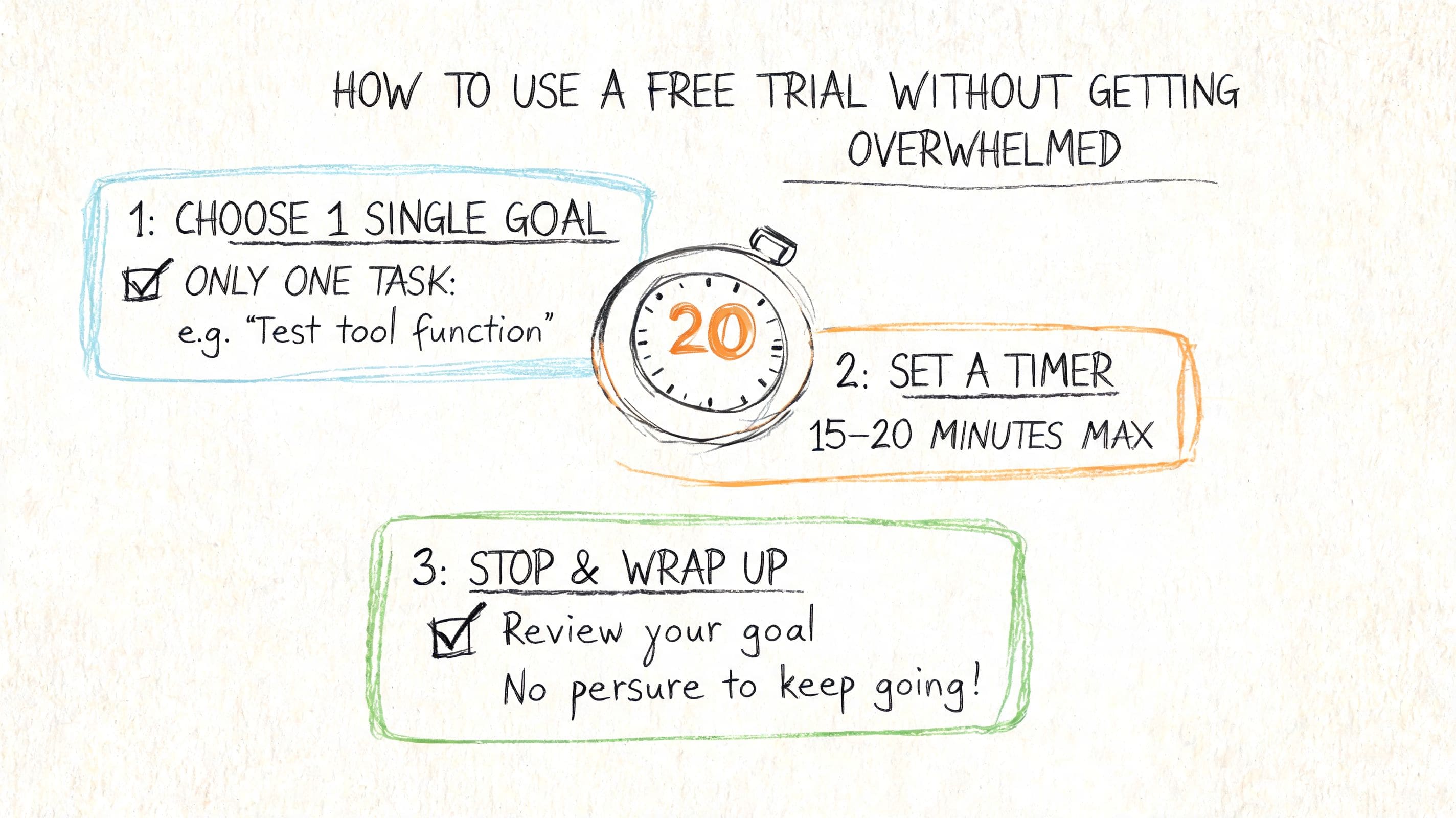
A lot of people open a trial and immediately feel behind. They think they need to explore every feature, compare every screen, and make a perfect decision fast. That approach burns energy before the app has even helped with a single real conversation.
Use a narrower question
Don't ask, "Is this the right app forever?"
Ask, "Does this app reduce friction in one kind of communication that already drains me?"
That could be:
- Work communication: replying to unclear emails or Slack messages
- Social communication: saying no without overexplaining
- Family communication: setting a boundary without spiraling afterward
- School communication: asking for clarification or support
When you narrow the question, the trial gets easier to manage. You aren't evaluating an entire category. You're checking whether one tool helps with one real pain point.
> Practical rule: Pick one recurring situation before the trial starts. If you pick three or four, you'll probably end up testing none of them well.
Build your own low-pressure structure
A free trial doesn't need intensity. It needs repeatability.
Try this simple frame:
1. Choose one use case
2. Test one feature at a time
3. Write one sentence per day about what happened
That's enough. You don't need a color-coded spreadsheet unless that helps you.
If you want a starting point for what a communication support app can include, this guide to downloading a communication skills app is useful because it keeps the focus on real-life use instead of abstract feature hype.
Look for relief, not perfection
A lot of neurodivergent people try tools in a very conscientious way. We want to be fair. We want to test everything correctly. We don't want to miss some hidden feature that would have made the whole thing click.
But your standard doesn't need to be "perfect communication." It can be much simpler.
> If the app helps you pause, interpret, script, or rehearse with less stress than usual, that's meaningful.
The point of an app to improve communication free trial isn't to prove you're suddenly fluent in every hard interaction. It's to see whether the tool gives your brain a usable support rail.
Your Pre-Trial Evaluation Checklist
Some apps are built around public speaking performance. Others are built around everyday communication support. That difference matters more than most reviews admit.
General-purpose speaking apps can be useful for pacing and filler words. Some report up to 95% accuracy in filler word detection according to Orai's App Store listing. But if your main problem is freezing before a difficult text, misreading tone, or not knowing how to phrase a boundary, those metrics may not answer your actual need.
Communication App Evaluation Checklist
| Feature Category | What to Look For | Why It Matters (for Neurodivergent Users) |
|---|---|---|
| Neurodivergent-centered support | Script libraries for work, family, health, school, and social situations | Reduces blank-page stress when you know what you want to say but can't phrase it quickly |
| Tone support | Multiple tone options for the same message | Helps you sound like yourself without guessing whether you're too blunt or too soft |
| Message interpretation | Help understanding ambiguous or loaded messages | Useful when misinterpretation anxiety is a bigger barrier than speaking itself |
| Practice tools | Private rehearsal, saved scripts, or repeat practice | Lets you prepare before a conversation instead of improvising under pressure |
| Calm support | Grounding or breathing tools inside the app | Helps when communication difficulty and nervous system overload happen at the same time |
| Privacy | On-device or local processing when possible | Can make practice feel safer, especially for sensitive conversations |
| Accessibility | Clear language, low-clutter screens, manageable onboarding | Reduces cognitive load during setup and daily use |
| Trial design | Enough access to test the real experience | A trial should let you evaluate actual fit, not just tease locked features |
Three questions to ask before you tap Start Trial
#### Does this app match my communication problem
A speaking coach app may help if you want feedback on pacing, filler words, or verbal delivery. It may not help if your main challenge happens before the conversation even starts.
If you need scripting support for autism-related communication needs, this article about communication apps for autism shows the difference between broad communication tools and tools that support day-to-day interaction planning.
#### Does the app protect my energy
Some interfaces are technically polished but mentally expensive. Watch for:
- Too many choices at once: lots of menus, labels, and prompts before you can do anything useful
- Unclear next steps: setup that assumes you already know how the app thinks
- Forced urgency: timers, popups, or pressure to upgrade before you understand the basics
An app can have great features and still be a bad fit if using it costs too much cognitive effort.
Want to try a communication app risk-free? tonen can help.
tonen gives you 188+ conversation scripts, tone guidance and calming tools — designed for autistic adults, ADHD and social anxiety. Try it free for 7 days.
Download on the App StoreiOS only. Android coming soon.
#### Can I test it in private
Privacy matters for practical reasons, not just abstract ones. Many people communicate more openly when they can rehearse alone, experiment with wording, and save drafts without social exposure.
> A helpful trial gives you room to be messy first, then clear.
That one detail often determines whether you continue using the app after the trial ends.
The 7-Day Trial Maximizer Plan
You don't need to cram a week of testing into one long evening. Spread the work out and keep each day small.
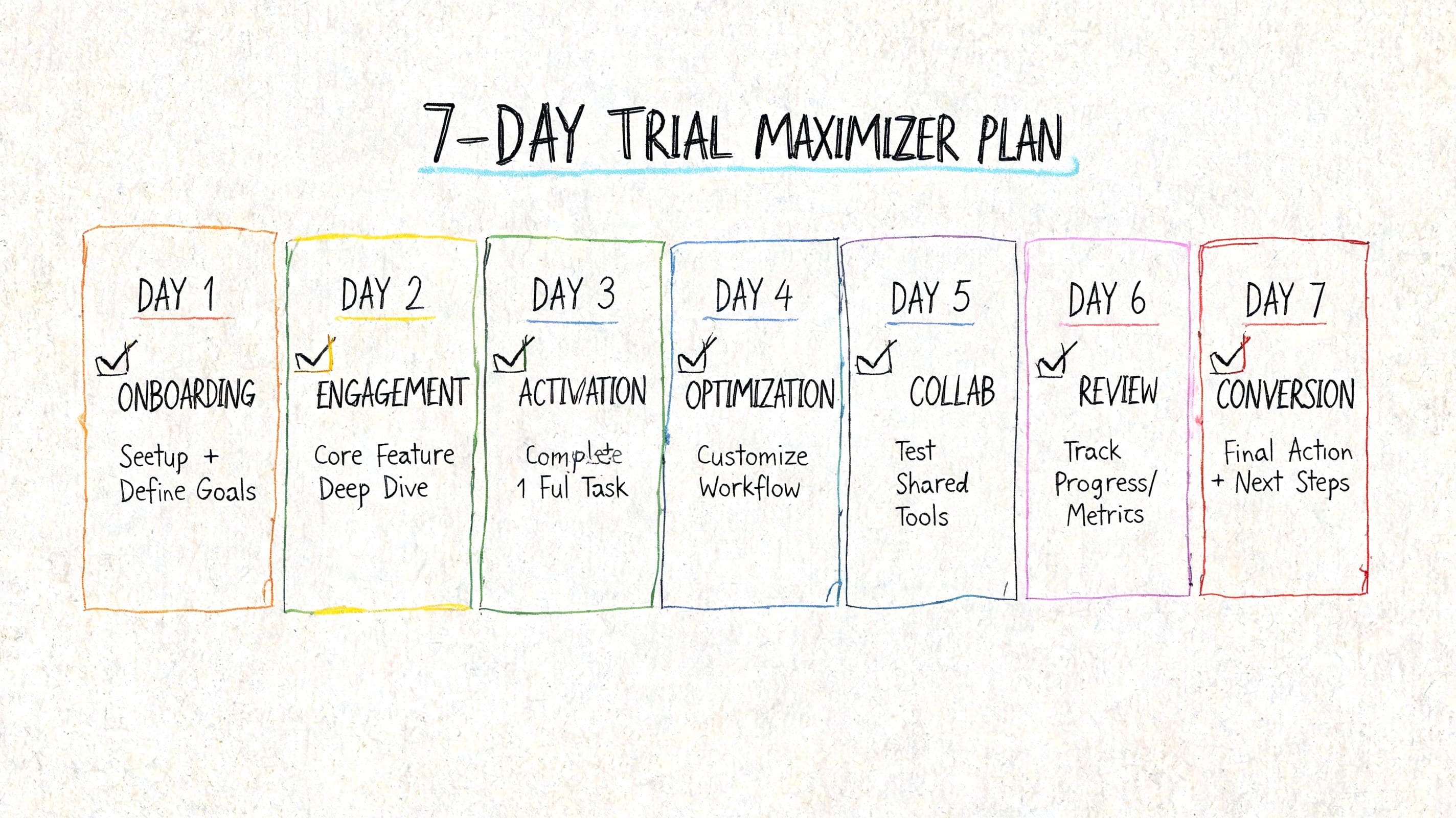
Day 1 and Day 2
#### Day 1 setup and first impression
Open the app when you aren't already overloaded if possible. Your job today is not to master it. Just notice the feel.
Write down:
- What felt clear: maybe the home screen made sense right away
- What felt sticky: maybe you couldn't tell where to begin
- What made you hesitate: perhaps a request for lots of personal input too early
Then do one tiny action. Save a script. Draft one reply. Test one prompt.
#### Day 2 one low-stakes communication task
Pick a communication moment that matters, but not the hardest one in your life. Good examples include replying to a simple email, declining a casual invite, or asking for clarification.
You are looking for signals like:
- Did the app reduce staring-at-the-screen time
- Did it help you choose words faster
- Did you feel more settled after using it
Don't optimize yet. Just observe.
Day 3 and Day 4
#### Day 3 test tone flexibility
A lot of communication stress comes from not knowing how your words will land. On this day, take one message and try different versions of it.
For example, if you need to say no to something, compare a version that feels direct with one that feels warmer. Notice which version sounds most like you, not which version sounds "best" in theory.
#### Day 4 rehearse something you usually avoid
This is the day to practice a medium-stress interaction before it happens. It could be a check-in with a manager, a request for space, or asking someone to clarify what they meant.
If conversation practice is part of the app, use it. If you want examples of what structured rehearsal can look like, these ideas for practicing conversations for anxiety can help you pick a realistic scenario.
> Use the trial to test recovery time too. A useful app doesn't just help you send the message. It can also shorten the spiral before and after.
Day 5 and Day 6
#### Day 5 test interpretation support
Bring in an ambiguous message you've received recently. Maybe it sounded curt. Maybe it was so vague that your brain started generating five possible meanings.
Ask:
- Does the app help me slow down before reacting
- Can it offer clearer phrasing for a response
- Do I feel less stuck after a few minutes
This day matters because communication strain often begins with uncertainty, not speech.
#### Day 6 stress test the support tools
Use the app when you're a bit dysregulated, not only when you're calm and organized. That's the true test.
You don't need to create a crisis. Just notice whether the app still feels usable when you're tired, embarrassed, overstimulated, or rushing between tasks. If there are calming tools, grounding prompts, or simplified workflows, this is when you'll learn whether they help.
Day 7
#### Day 7 make the decision with notes, not vibes alone
Look back over the week and answer these four prompts:
1. What communication problem did this app help most
2. What still felt hard
3. Did I avoid opening it, or did I return to it
4. Would this reduce effort enough to become part of my routine
If you want, score each answer as yes, maybe, or no. That's often easier than trying to produce a grand conclusion.
A good app to improve communication free trial should leave you with clearer self-knowledge even if you don't subscribe. That's still a useful outcome.
Putting the Plan Into Practice with Real Scenarios
Abstract features can sound promising and still feel irrelevant until you place them inside an actual Tuesday.
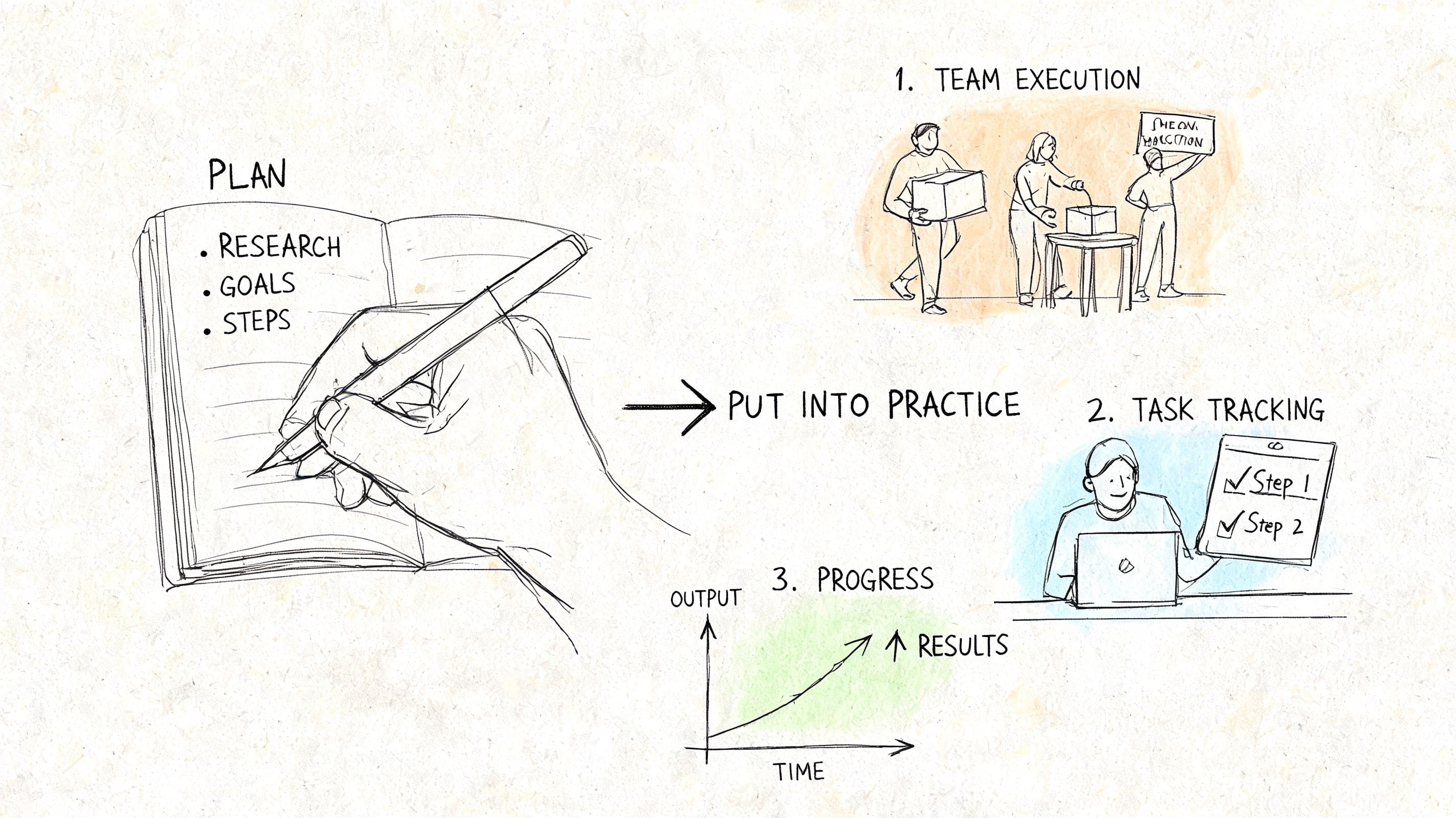
The ambiguous work email
Your manager writes, "Let's revisit this tomorrow."
It is simple. There are no punctuation clues and no explanation. Your brain fills in the rest.
In a trial, this is a good message to use for interpretation testing. You'd want the app to help you pause, consider a few reasonable readings, and draft a reply that is clear without sounding defensive. A useful response might ask what specifically should be revisited, or confirm the next step without overexplaining.
The unwanted social invite
A friend asks if you want to come to something this weekend. You don't want to go, but you also don't want to trigger guilt, awkwardness, or a long negotiation.
Script support becomes concrete in this stage. You're checking whether the app gives you language that is short, respectful, and easy to send. Bonus points if you can choose a tone that fits the relationship. Some days you want warm. Some days you need firmer wording because a soft no tends to become a maybe.
If you want more examples to compare against your own trial notes, these conversation script examples show how small wording changes can lower stress.
> Sometimes the best script is the one you'll actually use, not the one that sounds most polished.
Setting a boundary with family
This one often carries history. You're not just saying one sentence. You're managing anticipated reactions, old roles, and your own nervous system.
A good trial test here is rehearsal. Can the app help you practice the words privately before the conversation? Can you save a version that includes an exit line if the discussion gets too intense? Can you return to that script later without rebuilding it from scratch?
These scenarios are why simple performance metrics aren't the whole story. If an app helps you move from panic, confusion, or freeze into "I know what I'm going to say," that's real communication support.
How Tonen's Free Trial Meets These Needs
A free trial is only useful if your brain can use it during a real week, not just during a calm 20-minute demo window. Tonen lines up with that reality by keeping the entry point simple.
The setup removes two common friction points. The trial lasts 7 days, it does not require a credit card, and it includes full access. That matters for neurodivergent users because "remember to cancel" can become its own background stress task, and that stress can distort the trial before you even test the tool.
As noted earlier in tonen's communication skills app overview, the app includes 188 scripts, an AI Perspective Helper, tone variations, and a Calm Kit. The practical value is not just the feature count. It is that these pieces map to different points in the communication process, from figuring out what to say to regulating enough to say it.
What stands out during a trial
The script library helps reduce blank-page paralysis. If your brain tends to stall at the first sentence, starting from a template works like using a trail marker instead of bushwhacking through the woods. You still choose your words, but you do not have to build the path from nothing.
The tone options also make testing clearer. Direct, Warm, Firmer, and Softer give you a way to compare versions of the same message without rewriting it four different times. That is helpful if you often get stuck on questions like, "Am I being too blunt?" or "Did I leave too much room for pushback?"
Tonen also covers interpretation and rehearsal, which many general communication tools barely touch. The AI Perspective Helper offers 2 to 3 reframes with 85% alignment to user intent, according to tonen's feature description in the same overview source above. If you want to focus specifically on practice, the conversation practice feature for private rehearsal and tone testing shows the part of the trial that is often easiest to evaluate with a real message.
Why that structure matters
A lot of communication stress starts before the conversation starts. The hard part may be decoding a vague text, choosing a tone that will not backfire, or getting your nervous system out of freeze long enough to reply.
That is why the Calm Kit belongs in the evaluation, not as a bonus extra but as part of the communication workflow. For many neurodivergent people, wording support and regulation support are tied together. If your body is in alarm mode, even a good script can feel unreachable.
Privacy matters here too. Device-local privacy in support tools can make honest practice more likely, especially if you are testing sensitive messages about work, family, dating, or boundaries. People tend to rehearse more truthfully when the process feels contained and safe.
If you want outside support for the regulation side of this process, the Children Psych guide to emotional well-being offers simple ideas that pair well with a structured communication trial.
For someone comparing an app to improve communication free trial, Tonen fits the checklist because it supports the whole chain. You can draft, compare tone, reinterpret a message, practice privately, and settle your nervous system enough to press send. That makes the 7-day window easier to evaluate with real life instead of guesswork.
Your Path to More Confident Communication
The most helpful communication app usually isn't the one with the longest feature list. It's the one you can still use when your brain is tired, your body is tense, and the message matters.
That is why the process matters as much as the product. A structured trial turns vague hope into something you can evaluate. You learn what kind of support lowers your load. You also stop judging yourself for not using tools the way a review site assumed you would.
Outside of apps, it can help to build emotional regulation habits alongside communication supports. If you want a broader companion resource, the Children Psych guide to emotional well-being offers simple ideas that can support self-awareness and regulation in everyday life.
If you're choosing an app to improve communication free trial, keep the standard grounded. Look for less freeze, less second-guessing, and less effort to say what you mean. That's enough to be worth noticing.
If you want to try a low-pressure option built around scripts, tone variations, interpretation help, and private practice, you can explore tonen. Start with one real-life situation, use the 7-day window gently, and see whether communicating feels lighter by the end of the week.
Frequently asked questions
This guide covers app to improve communication free trial: a 7-day guide with practical, neurodivergent-friendly strategies—clear steps, scripts where useful, and ways to reduce anxiety or overload rather than vague "be confident" advice.