A communication coaching app iphone users can rely on is a tool that gives you scripts, practice, and real-time support to reduce communication anxiety. It also makes help far more accessible than traditional coaching, which can cost over $150 per hour, while app-based options have helped broaden access to communication support for people who wouldn't otherwise use it.
If you're reading this before a phone call, a performance review, or a text reply you've rewritten six times, you probably don't need more generic advice like "just be confident." You need words you can use in practice, a way to rehearse them privately, and support that lowers cognitive load instead of adding more of it. That's where a good communication coaching app iphone setup can help. Not by changing your personality, but by giving your brain a scaffold when the social math gets noisy.
Your Pocket Coach for Difficult Conversations
The most useful communication apps don't start with public speaking theory. They start with the moment you're already in. Your manager asks to "chat later." A friend sends a message that feels loaded. You need to call a clinic, ask for an extension, or say no without spiraling afterward.
A communication coaching app iphone users keep on hand is a portable support tool for those exact moments. It helps with three things that matter in real life: finding words, practicing them before the conversation, and staying regulated enough to use them.
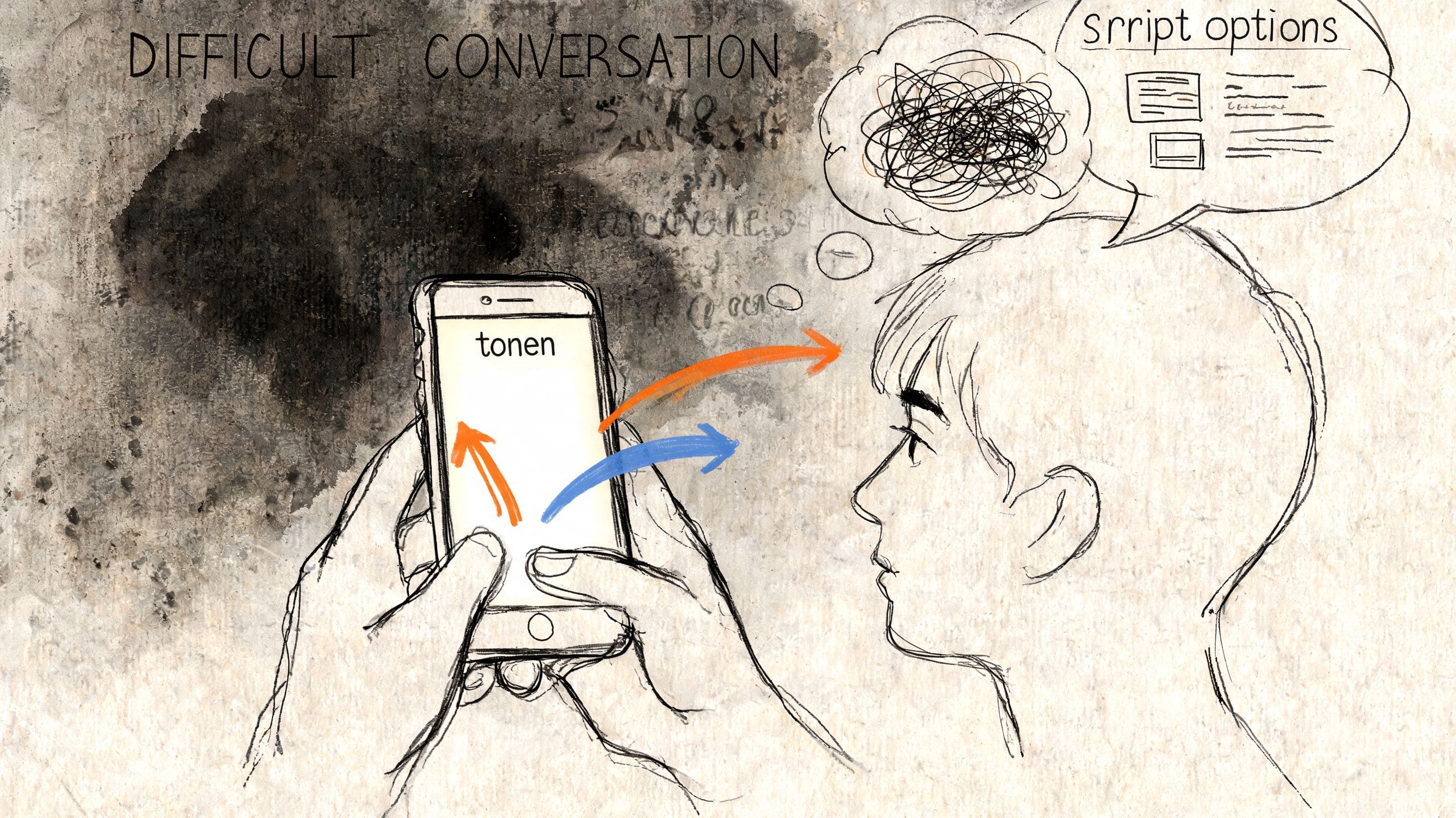
Traditional coaching can be valuable, but it isn't always available when you need it. The market has grown partly because it's a more accessible alternative to coaching that can cost over $150 per hour, which has made personalized support hard to reach for many people. App-based coaching has widened access to communication development for a much broader group of users, according to Hyperbound's overview of speech coach apps.
What that looks like in practice
For many people, the win isn't "becoming polished." It's being able to do ordinary things with less dread:
- Send the boundary text: You stop staring at the screen because the app gives you a starting phrase.
- Handle the work conversation: You rehearse a few lines instead of improvising under stress.
- Recover your place: If your mind blanks, you can return to a saved script rather than abandon the interaction.
> A good app doesn't make you sound like someone else. It helps you say what you already mean with less friction.
That matters at work too. If your stress is tied to recurring team misunderstandings, it helps to pair personal support with broader strategies to fix broken team dialogue, especially when the problem isn't only individual confidence but a messy communication environment.
What works and what doesn't
Some apps help because they're concrete. Others create more pressure.
What tends to work
- Short, usable phrasing: A couple of lines you can adapt fast.
- Private rehearsal: Practice without feeling watched or graded.
- Context-specific support: Scripts for work, family, health, school, and social situations.
What usually doesn't
- Abstract advice: Tips like "project confidence" aren't useful when you're frozen.
- Too much analysis: If the app gives you more data than language, anxiety can go up.
- One-size-fits-all prompts: They often ignore sensory load, processing delays, or fear of being misread.
Why These Apps Matter for Neurodivergent Minds
You know what you want to say. Then the message window opens, your brain starts tracking tone, timing, subtext, and possible reactions all at once, and a simple reply turns into a 20 minute task. For many neurodivergent people, that is the hard part. Communication strain often comes from processing load around the words, not a lack of care, insight, or effort.
A well-built coaching app helps by reducing how many decisions need to happen at the same time. It gives structure before stress spikes. That matters if working memory drops under pressure, if tone is easy to misread, or if anxiety makes every sentence feel high stakes.
The Core Problem is Cognitive Load
Stressful conversations create a stack of jobs that have to happen fast:
- reading subtext
- choosing how much context to include
- adjusting tone without overcorrecting
- holding onto the point you meant to make
- staying regulated enough to finish the interaction
That stack is where many apps fail neurodivergent users. A lot of tools focus on delivery after you've already formed the sentence. The harder need often comes earlier. You need help finding language for "I need more time to answer," "I think we're talking past each other," or "I can't do this today."
Mainstream communication tools still often flatten different support needs into one style of advice. In an app market analysis referenced in this neurodivergent communication app discussion, 70% of neurodivergent users reported that many apps felt one-size-fits-all and missed needs around scripting, tone variation, and anxiety management. That tracks with what shows up in practice. Generic coaching can create more mental work instead of less.
Good support lowers masking pressure
The strongest apps help people communicate clearly without forcing a fake polished voice. That distinction matters. Many neurodivergent users are already spending enough energy translating themselves.
Useful support usually includes:
- concise scripts that still sound human
- tone options that let you be firmer or softer without losing meaning
- exit lines for moments when overload kicks in
- help interpreting ambiguous messages, not just producing cleaner ones
> Practical rule: If an app makes you monitor yourself more, it is adding cognitive load.
Scripting also deserves a more honest framing. It is often a regulation tool, not a sign that someone is less capable. Plenty of people rely on prepared language every day in meetings, healthcare visits, conflict resolution, and customer calls because structure protects clarity when stress rises.
Looking for a communication coach in your pocket? tonen can help.
tonen gives you 188+ conversation scripts, tone guidance and calming tools — designed for autistic adults, ADHD and social anxiety. Try it free for 7 days.
Download on the App StoreiOS only. Android coming soon.
If that pattern feels familiar, this explanation of why communication can feel unusually difficult gives helpful context. The issue is often friction, overload, and fear of being misread. Reducing those pressures makes authentic communication easier.
Essential Features for a Great iPhone Coaching App
A useful app should do more than analyze your voice or tell you to slow down. For many users, especially neurodivergent users, the difference between a helpful app and an abandoned one comes down to whether it lowers stress at the exact moment communication gets hard.
Feature Checklist for Your Communication App
| Feature | Why It's Essential | What to Look For |
|---|---|---|
| Ready-to-use scripts | Reduces blank-page panic and helps you start | Scripts for work, family, health, school, and social situations |
| Tone control | Helps you avoid being misread as rude, overly apologetic, or unclear | Multiple tone options that change phrasing, not just formatting |
| Practice mode | Lets you rehearse privately before a call, meeting, or text | A simple way to save and repeat lines without pressure |
| On-device privacy | Builds trust when conversations feel sensitive | Clear language that your data stays on your device and isn't synced to the cloud |
| Accessibility support | Makes the app usable when attention, sensory load, or fatigue are factors | Voice-over compatibility, readable layout, low-friction navigation |
| Message interpretation help | Useful when a text or email feels ambiguous or loaded | Gentle reframes and suggested replies |
Privacy isn't a bonus feature
Privacy changes behavior. If users worry their practice sessions are stored or reviewed somewhere, many won't use the app consistently enough to benefit from it.
That concern isn't niche. 62% of users prioritize local AI, and 92% of neurodivergent users fear judgment from stored vocal data. The same market analysis also notes that weak privacy transparency can reduce retention by 40%, which is why this review of communication app privacy concerns matters when you're comparing tools.
> If an app is vague about where your voice, scripts, or conversation data goes, assume you'll feel that uncertainty every time you open it.
Speech feedback can help, but only in the right place
Speech analysis tools can be useful for specific goals like filler reduction, pacing, and articulation. They fit best when your main challenge is delivery. They fit less well when your main challenge is knowing what to say, recovering from overwhelm, or handling ambiguous social situations.
That distinction matters. An app can be technically smart and still miss the human problem.
A practical way to evaluate your options is to compare them against grounded buying criteria rather than hype. This roundup of what to look for in the best app to improve communication skills is helpful because it pushes the decision back to fit, not novelty.
What I would treat as non-negotiable
- Scripts for high-stress moments: Not just presentation prompts, but actual daily life scenarios.
- Tone flexibility: Direct, warm, firmer, or softer options can prevent hours of overthinking.
- Fast access: The app should help in the moment, not after ten setup steps.
- Clear privacy language: You shouldn't have to hunt for basic answers about storage and recording.
- A calm interface: If the app feels cluttered, it won't help during overload.
Practical Workflows for Common Situations
The value of a communication coaching app iphone users stick with comes from repeatable routines. You don't need a huge system. You need a few go-to workflows that make hard moments less improvised.
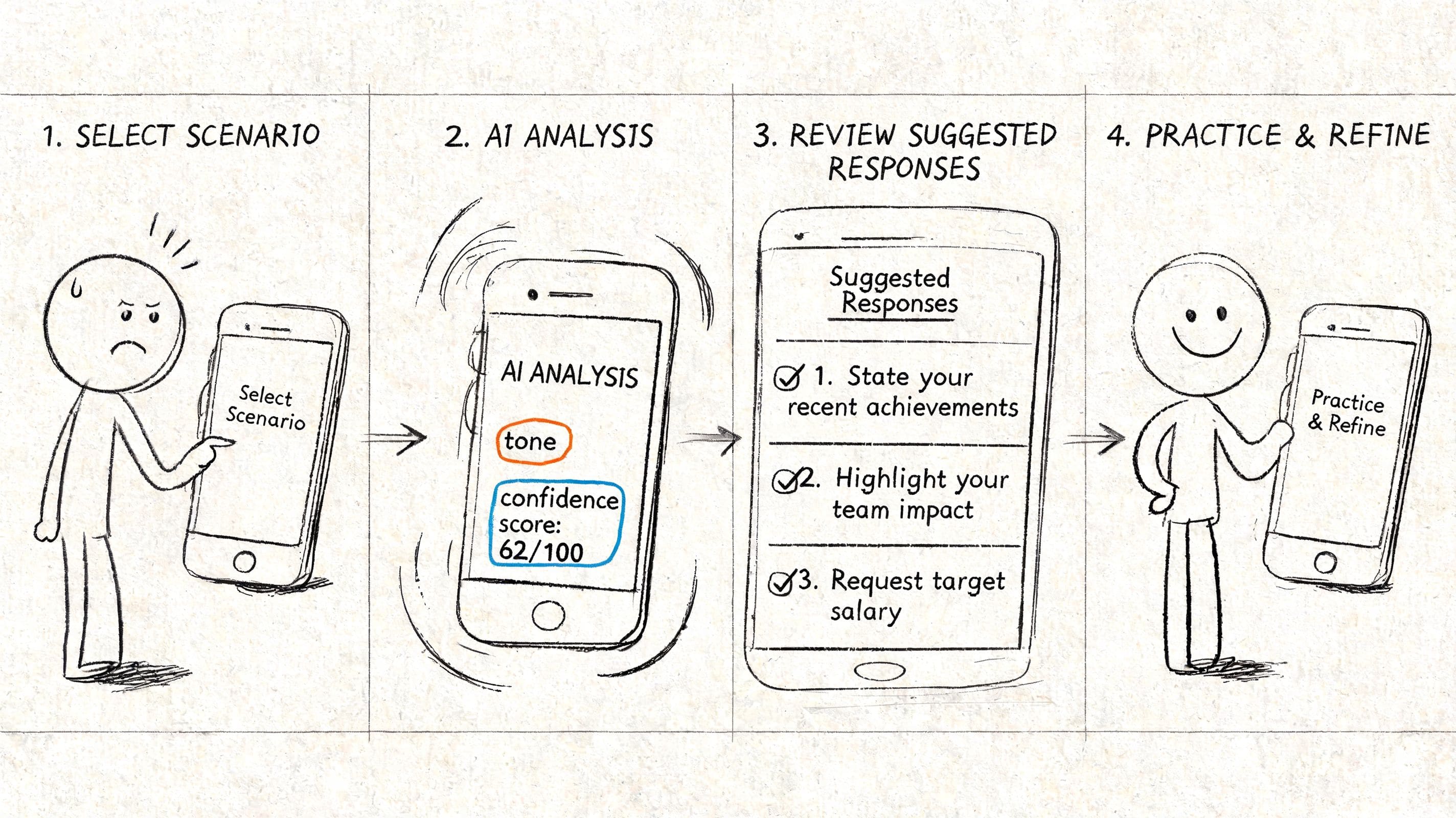
Preparing for a performance review
Open the app before the meeting, not two minutes before. Find a script that helps you discuss workload, goals, or support needs. Choose wording that feels clear but not harsher than intended.
Then rehearse the opening lines out loud. If saying them feels awkward, edit them until they sound like language you would use.
1. Pick one outcome: Clarify workload, ask for feedback, or request support.
2. Choose your tone: Direct may help with clarity. Warm may help if you're worried about sounding abrupt.
3. Practice your first sentence: The opening usually carries the most anxiety.
4. Save a fallback line: Something simple like asking for a moment to gather your thoughts.
Setting a boundary with a friend
Tone control matters more than many realize. While most users know where the boundary lies, they often struggle to express it without sounding colder or more apologetic than they intend.
A useful pattern:
- Start with the limit: Keep the core message short.
- Add context only if needed: Explanations can be kind, but too much detail can weaken the boundary.
- Keep an exit line ready: If the conversation gets emotionally messy, having a closing phrase helps.
> Shorter scripts often work better under stress because they leave less room for spiraling, second-guessing, or overexplaining.
If boundaries are especially hard, these social script examples for everyday situations can give you a practical sense of how short and usable a script should be.
Replying to a confusing message
Some messages are hard because they are unclear, passive-aggressive, or emotionally loaded. In that moment, don't force an immediate response.
Try this sequence:
- Read once for facts
- Pause before interpreting tone
- Use the app to test possible replies
- Pick the version that protects clarity and your energy
The goal isn't to produce the perfect message. It's to respond in a way you'll still feel okay about later.
An Introduction to tonen for iPhone
You are staring at a text you need to send. You know the point you want to make, but every draft sounds too blunt, too apologetic, or unlike you. That is the kind of moment tonen is built for on iPhone.
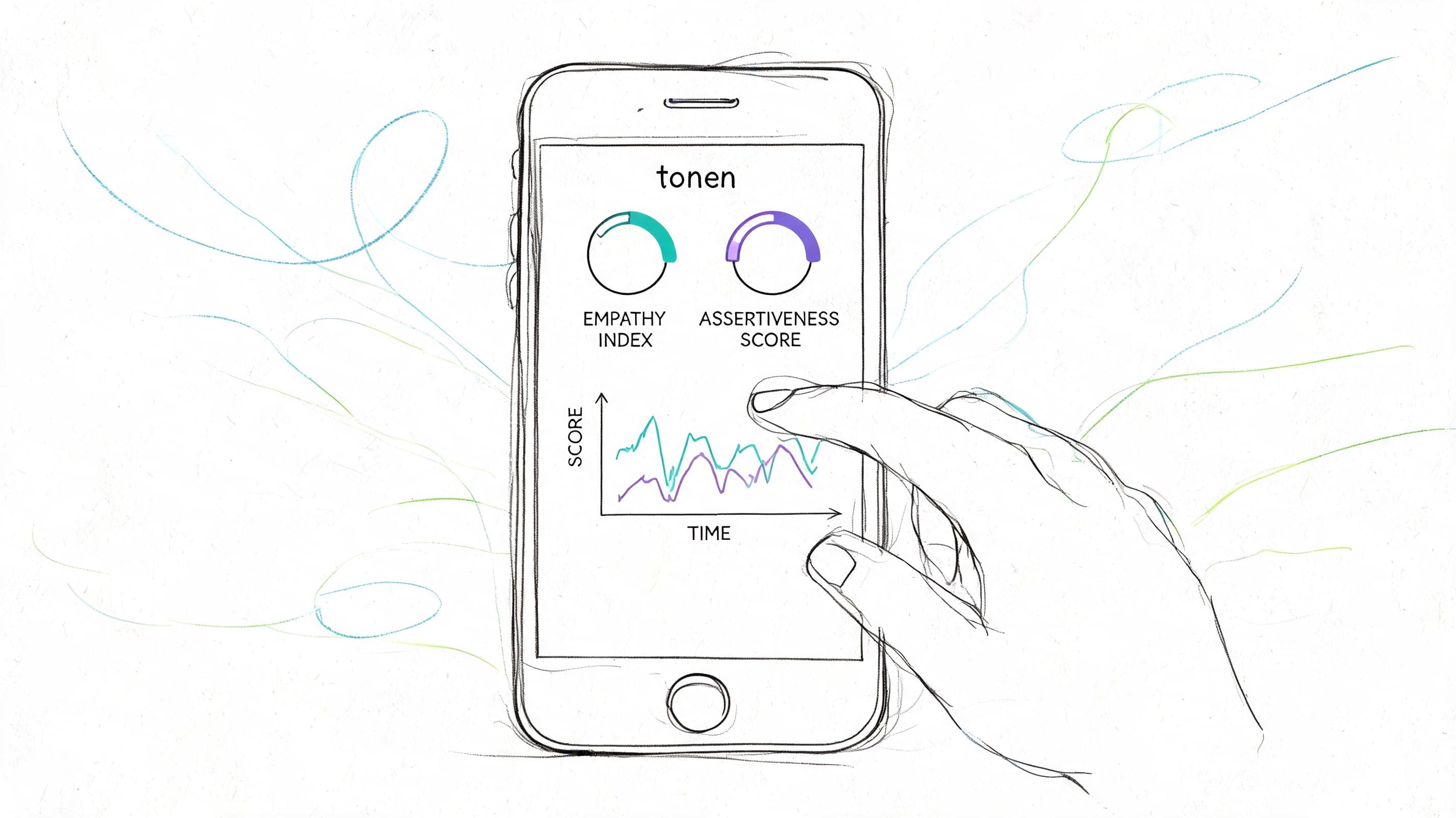
tonen centers on short, usable scripts for everyday conversations. The focus is practical language support, not just performance feedback. That matters for people who do not struggle with public speaking so much as word retrieval, tone calibration, or freezing when a message carries social risk.
It includes scripts across work, family, health, education, and social situations, plus four tone settings: Direct, Warm, Firmer, and Softer. For a neurodivergent user, that is more than a style preference. It cuts down on the mental work of guessing how a sentence will be read, which is often where anxiety spikes.
Why this design approach matters
A good script library gives you pre-decided language. That lowers cognitive load before a conversation even starts. Instead of building a reply from zero, then checking whether it sounds rude, vague, or overexplained, you start from something stable and adjust it to fit your voice.
That difference is easy to underestimate until you are overloaded.
Practice Mode also serves a real purpose. Rehearsing privately helps people test wording before they use it in a high-stakes moment, which can reduce the fear of saying the wrong thing and then replaying it for hours. On-device privacy matters too. Communication support only helps if the app feels safe enough to use when the topic is personal, messy, or emotionally charged.
The Perspective Helper adds another layer. Some users do not need help speaking clearly. They need help reading intent, separating facts from tone, or finding a response that does not escalate the situation. Support like that can make a confusing message feel more manageable.
What makes it different from voice-first tools
Some apps focus on delivery, pacing, or vocal presence. tonen puts more weight on the wording itself and the regulation support around it. That makes it better suited to moments where the hard part is not sounding polished. The hard part is getting to a message you can send.
Useful parts of that approach include:
- Script variations: Helpful if your first draft is accurate but likely to be misread.
- Opt-out lines: Useful when you need to pause, defer, or exit without scrambling for words.
- Ask-for-support phrases: Practical for accommodation requests, clarification, or naming what would help.
- Calm Kit tools: Worth having before calls, appointments, or emotionally loaded replies.
If you want a closer look at how that works in practice, the iPhone communication skills app download guide gives a clear picture of the app's core flow.
How to Choose and Trial Your App
Don't trial an app in the abstract. Trial it against your real life. Pick one or two situations coming up this week and test whether the app helps you prepare, regulate, and communicate more clearly.
A simple way to test fit
Use this checklist during the trial:
- Bring a real scenario: A work conversation, difficult text, appointment call, or boundary-setting moment.
- Check the script quality: Are the phrases usable as written, or do they sound robotic?
- Test tone options: Do they help you sound more like yourself, not less?
- Look at privacy language: Can you tell where your data stays and what gets stored?
- Notice your nervous system: After using the app, do you feel more settled or more scrutinized?
> The right app should lower the activation level of the task. If you feel more tense every time you open it, that's useful information.
What success looks like
Success isn't becoming perfectly smooth in every interaction. It's smaller and more important than that. You reply sooner. You avoid fewer conversations. You recover faster when a message throws you off. You ask for what you need with less dread.
If you want a low-pressure way to test that, this guide to choosing an app to improve communication with a free trial is a good place to start.
The best next step is simple: choose one app, one scenario, and one conversation to practice. That's enough to tell you whether the tool is helping.
If you want an option built specifically for neurodivergent communication support, tonen offers scripts, tone variations, private practice, on-device privacy, and a 7-day free trial with no credit card required to start.
Frequently asked questions
Look for customizable scripts, tone feedback or guidance, private practice, offline calming tools, and privacy-respecting design that stays usable when you are overloaded.